Is Claude Code Worth It? Honest 2026 Cost Breakdown

Written by
Sumit Patel
Published
August 12, 2026
Updated
August 12, 2026
Reading Level
Advanced Strategy
Investment
28 min read
Is Claude Code worth it — the short version
- 1If you code professionally most days → yes, and it's not close. Pro is $20/month and break-even is about one saved hour a month.
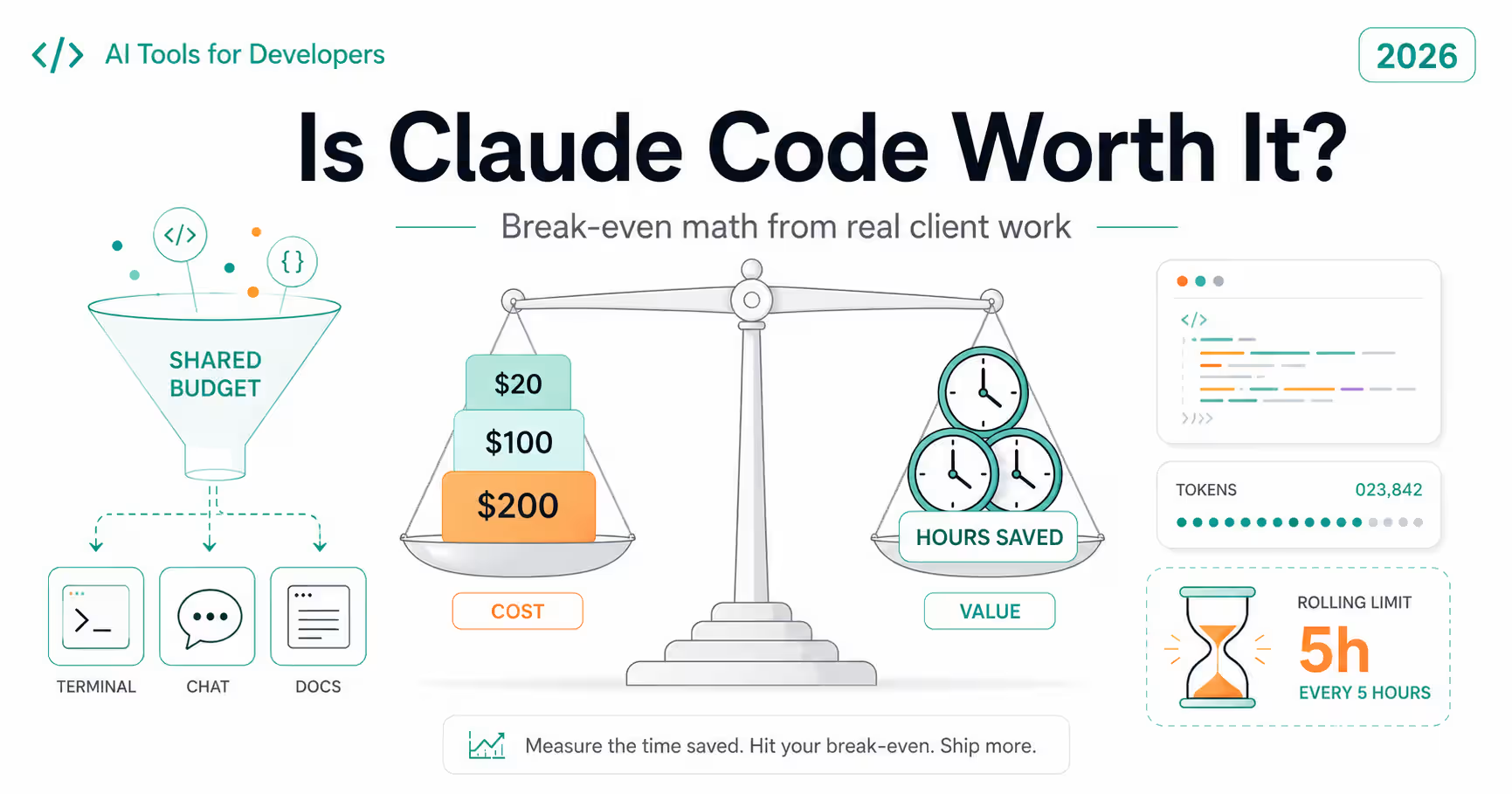
- 2The prices → Pro $20/mo ($17/mo annual). Max 5x $100/mo. Max 20x $200/mo. Team Premium $100/seat annual or $125/seat monthly, 5-seat minimum. Enterprise custom, with a 500K context window. Free plan: no Claude Code.
- 3Start on Pro. Always. Max is an answer to a usage question you can't answer before you have usage.
- 4The thing nobody tells you → your Claude Code budget is shared with Claude chat and Cowork. One pool, three products.
- 5The meter → a rolling 5-hour window starting from your first message, plus a weekly cap, warning you at 90%. Coding alone, I rarely hit it. Coding plus chat plus Cowork in the same week, I burned the weekly cap in three days.
- 6Before upgrading → turn on extra usage. It continues past your limit at standard API rates with a spend cap you control, which turns 'do I need Max?' into a measurable question instead of a guess.
- 7Subscription vs API → subscription for sustained interactive coding (caching makes it lopsided), API for automation, CI, and anything you bill precisely to a client.
- 8Don't buy it if → you code occasionally, you must review every generated line anyway, or your client prohibits third-party code access. Those are real and the answer is genuinely no.
Why I'm answering this and what I'm not going to do.
I build a 25-module ERP and client CRM projects in React and TypeScript, and Claude Code has been in that workflow long enough that I've stopped noticing it — which is its own kind of answer. That's the same client delivery work I run through my agency, Zethius, so the subscription is a line item I actually justify rather than a tool I evaluate for sport. Here's what I'm not going to do: rewrite the pricing page. Search 'is Claude Code worth it' and most of what you'll find is the plan table with adjectives added, ending on some version of 'it depends on your needs'. That's not an answer, it's a shrug in a suit. And a good share of the rest are pages whose real product is a discounted-account reseller link, which makes the recommendation worth exactly what you'd expect. What I'll do instead is give you the break-even framework — what specifically has to be true about your week for each tier to repay itself — the usage mechanics that decide whether you'll actually hit limits, and a section on when the answer is no. That last part is the one I'd most want to read if I were deciding today, and it's the one nobody writes, because 'don't buy this' converts badly. Two limits on my perspective. I'm a frontend developer working in TypeScript, React, Node and Postgres, mostly on codebases I know well — if you write Rust, or work primarily in unfamiliar legacy code, weight this accordingly. And I've built all of this on a single consumer subscription rather than Max, so my read on the higher tiers is reasoned from the published mechanics rather than lived. I'll flag where that's the case. No affiliation with Anthropic, no affiliate links, no discount-reseller referrals. Prices verified against Anthropic's published pricing on August 7, 2026.
Every 'is Claude Code worth it' article I've read answers a different question than the one people are asking. They answer 'what does Claude Code cost', which takes thirty seconds: $20 a month on Pro, $100 or $200 on Max, $100 a seat for Team Premium, or pay-per-token on the API. That's the pricing page. The actual question underneath — the one you're asking if you've got the checkout tab open — is narrower and more anxious. Will I use this enough to justify it? Will I hit the limits everyone complains about? Is the $100 tier the real one and the $20 tier a trap? Those have answers, and they're less mysterious than the discourse suggests. The break-even on Pro is roughly one saved hour a month, which any working developer clears in the first week — so for professional daily use, the cost question is close to settled before it starts. What's genuinely uncertain is the tier, and that turns entirely on a usage model most guides skip: a single budget shared across Claude Code, Claude chat and Cowork, metered by a rolling five-hour window plus a weekly cap. Understand that structure and the Pro-versus-Max decision stops being a personality test about how serious a developer you are. There's also a version of this question where the honest answer is no, and I'd rather say so plainly than bury it. Three situations make the subscription a bad purchase regardless of how good the tool is, and none of them are about the tool being bad. So: the real prices, the break-even math, the shared-budget trap, the one rule that decides Pro versus Max, the subscription-versus-API split, and the cases where you should keep your money. If you've already decided to buy and want to know which model to run inside it, that's the companion piece linked at the end.
Key Takeaways
8 PointsIs Claude Code Worth It? The 30-Second Verdict
For a developer writing code most working days, Claude Code at $20 a month on Pro is worth it, and the margin isn't close enough to warrant a long deliberation. At any professional rate — Indian freelance, Western contract, salaried, it barely matters — the subscription costs less than an hour of your time per month. You do not need a productivity miracle to clear that bar. You need the tool to save you one afternoon of tedious refactoring in four weeks, and it will do that in the first week or you'll know very quickly that it won't.
So the real decision is tier, not yes-or-no. Start on Pro, always, because the case for Max is a usage argument and you don't have usage data yet. Turn on the extra-usage toggle so that hitting your limit costs you a measurable amount of money instead of an unmeasurable amount of waiting. Run a month. If overflow spend plus the frustration of interrupted sessions exceeds the $80 gap to Max 5x, upgrade with evidence. Most solo developers never need to.
The one thing to internalise before you start: your Claude Code usage shares a budget with Claude chat and Cowork. Not a similar budget — the same one. That single fact explains most of the 'I hit the limit and I barely used it' complaints you'll find in forums, and it changes how you should allocate your day.
And the honest counterweight: if you code occasionally rather than professionally, or you must line-by-line verify everything you ship, or your client forbids third-party code access, none of the above applies and the answer is no. That section is further down and I meant it.
What Claude Code Actually Costs in August 2026
Claude Code isn't sold as a product. It's a terminal tool that runs on your existing Claude plan or API account, which is why the pricing question gets confusing — you're not buying Claude Code, you're buying a Claude plan that includes it.
The consumer tiers: Pro at $20 a month, or $17 a month if billed annually. Max 5x at $100 a month. Max 20x at $200 a month. All three bundle Claude Code together with the full Claude app, Projects, Research and Cowork under one price with usage shared across them. The free plan gives you Claude on web, iOS, Android and desktop, but does not include Claude Code — worth stating because it's a common assumption.
For teams, the structure has a sharp edge: Team plans start around $20 a seat on Standard, but Claude Code is only included on Premium seats at $100 per seat billed annually, or $125 per seat billed monthly, with a five-seat minimum. You can mix Standard and Premium seats on the same team, which is the sane configuration when only some of your people write code. Enterprise is custom-priced through sales and adds a 500K context window along with SSO, custom retention and compliance features.
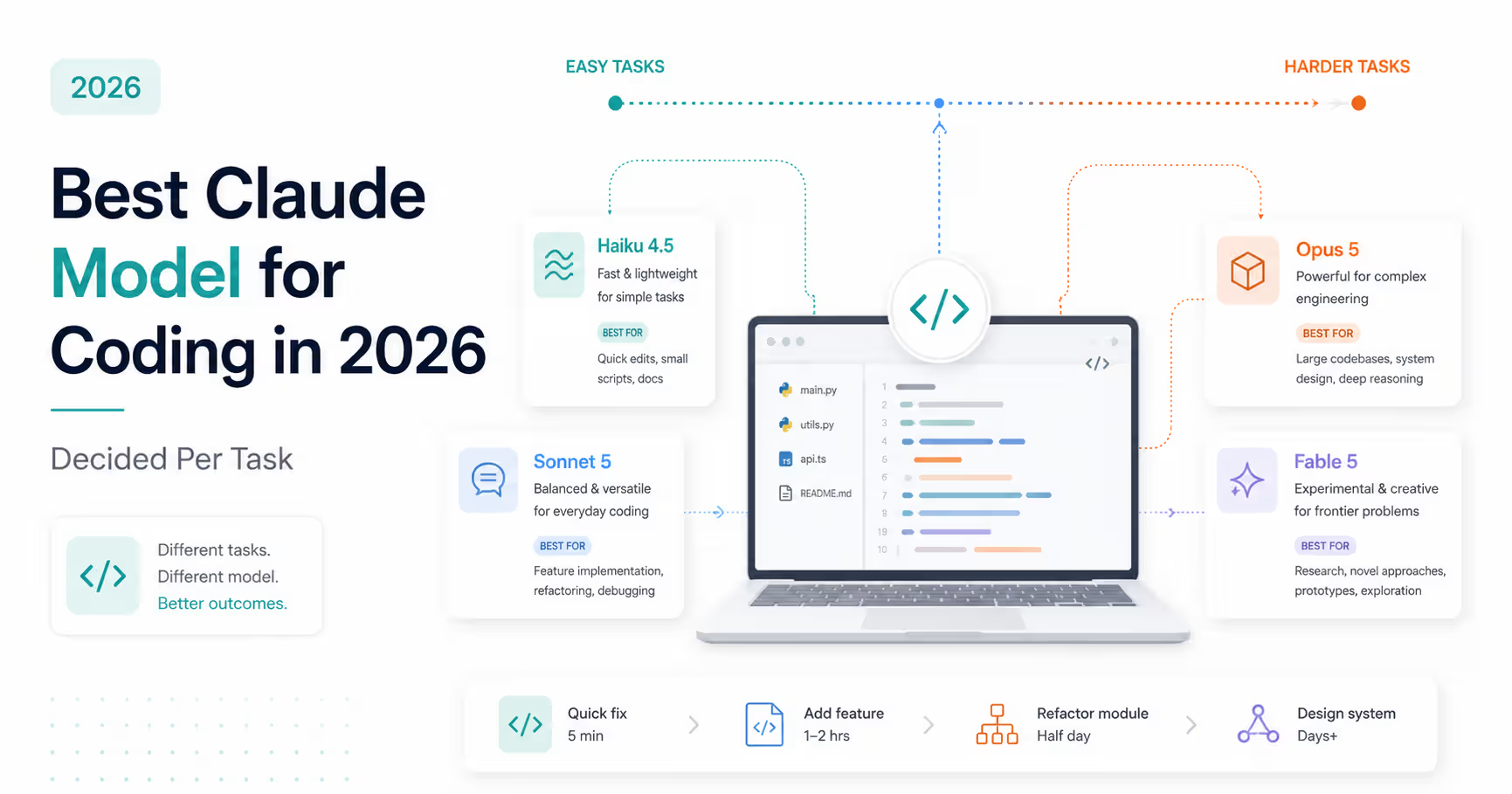
Then the API path, priced per token rather than per month: Haiku 4.5 at $1/$5 per million input/output tokens, Sonnet 5 at $2/$10 through August 31, 2026 and $3/$15 from September 1, Opus 5 at $5/$25, and Fable 5 at $10/$50. Prompt caching discounts cache hits to roughly a tenth of standard input cost, and the Batch API halves both sides for work that can wait.
One more line item that didn't exist a year ago and matters more than its size suggests: every paid consumer plan now has an extra-usage toggle. Hit your included limit and instead of stopping cold, you can opt to continue at standard API rates with a monthly spend cap you control. That single feature is what turns the Pro-versus-Max decision from a guess into an experiment.
- Pro — $20/month, or $17/month billed annually. Includes Claude Code, Claude app, Projects, Research, Cowork.
- Max 5x — $100/month. Max 20x — $200/month. Ratios of Pro's per-window room, not published token counts.
- Team — Claude Code requires Premium seats at $100/seat annually or $125/seat monthly, five-seat minimum. Standard seats don't include it.
- Enterprise — custom pricing, 500K context window, SSO and compliance features.
- Free plan — Claude yes, Claude Code no.
- API — Haiku 4.5 $1/$5, Sonnet 5 $2/$10 (→ $3/$15 on Sept 1), Opus 5 $5/$25, Fable 5 $10/$50 per million tokens.
- Extra usage toggle — continue past your plan limit at standard API rates with a spend cap you set.
The Break-Even Math, and Why It Ends the Argument Early
Let's do the arithmetic that the pricing debates skip, because it's short and it settles most of the question.
Pro costs $20 a month. Take any professional developer rate you like — a mid-range Indian freelance rate, a Western contract rate, or the loaded hourly cost of a salaried engineer — and $20 is somewhere between a fraction of an hour and a couple of hours of billable time. Call it one hour to be conservative across markets. So the question 'is Pro worth it' reduces to: over an entire month, will this tool save me one hour?
For anyone writing code most days, that's not a close call. One afternoon of mechanical refactoring, one test suite you didn't hand-write, one debugging session shortened from two hours to twenty minutes, and you're past break-even for the month with three weeks left. My own experience is that a single well-scoped multi-file task can clear the month's cost, which is why I find the agonising over $20 slightly odd — it's the cheapest professional tool most developers pay for.
Max 5x at $100 changes the shape but not the logic: break-even is roughly five hours a month, or a bit over an hour a week. That's still low in absolute terms, but here's the catch that matters — you don't get five times the productivity for five times the price. You get five times the *headroom*. Max doesn't make Claude Code better at your work; it makes it available for more of your work before you're told to wait. So the break-even question for Max isn't 'does this save me five hours' — it's 'does the extra headroom save me five hours that Pro's ceiling was costing me'. Those are very different questions, and conflating them is how people end up paying $100 a month for capacity they don't touch.
Max 20x at $200 is a volume play, and it's genuinely the right call at scale. One developer's tracked eight months of intensive use worked out such that a single peak month would have cost thousands at API rates against a flat $200 — with the explanation being that over 90% of tokens in heavy sessions were cache reads, which bill on the API and don't on a subscription. If you're running long agentic sessions across large repositories all day, the flat fee is a bargain rather than a splurge. If you're not, it's shelf space.
| dimension | break even | who it fits |
|---|---|---|
| Pro — $20/mo ($17 annual) | ≈ 1 saved hour per month | Solo devs, freelancers, anyone coding most days on normal-sized tasks. The correct starting point for almost everyone. |
| Max 5x — $100/mo | ≈ 5 saved hours per month, from headroom specifically | Developers whose Pro sessions get interrupted often enough that waiting is a routine part of the day, not an occasional annoyance. |
| Max 20x — $200/mo | ≈ 10 saved hours per month | All-day agentic work on large repositories; agencies running Claude Code across many client codebases. Cache-read economics make this cheap at volume. |
| Team Premium — $100/seat annual, 5-seat minimum | Per-seat equivalent of Max 5x, plus admin overhead | Teams needing centralised billing and controls. Mix with Standard seats so only your coders carry the Premium price. |
| API — pay per token | No fixed cost to recover | Automation, CI pipelines, bursty or seasonal work, and anything you need to bill precisely to a client. |
* Plan prices verified against Anthropic's published pricing on August 7, 2026, and change periodically. Break-even hours are illustrative arithmetic based on typical professional rates, not a promise about your productivity — the honest version is that the tool's value varies far more by task type than by plan tier.
The Shared Budget Nobody Warns You About
If you take one mechanical fact from this article, take this one: Claude Code, Claude chat and Claude Cowork draw on a single usage budget. Burn tokens in one and you have less capacity in the others.
This is the source of most 'I hit the limit and I barely coded today' confusion. You spent the morning in Claude chat working through a design problem, ran a Cowork task to build a client document, then opened the terminal at 3pm and found less runway than you expected. Nothing malfunctioned. You spent your budget on two other products before you started.
The metering runs on two clocks. The first is a rolling five-hour window that starts from your first message rather than at a fixed time — send your first prompt at 10am and the window resets at 3pm regardless of what happened in between. The second is a weekly cap sitting on top of it. Max plans complicate this usefully: they carry two weekly caps, one across all models and a separate one for Sonnet models specifically.
That Sonnet-specific cap is the most actionable detail in this whole section. On Max, routing routine work to Sonnet draws on an allowance that otherwise sits idle, while running everything on Opus — which is the Max default — burns the shared pool your hardest work depends on. Deliberate model switching isn't just about cost per token; on Max it's about which bucket you're emptying. I go through that decision properly in the companion post on model choice.
Three practical habits fall out of this. Front-load your heaviest coding into a fresh window rather than the tail of one you opened for chat. Keep research and coding in separate windows where you can, or at least know you're trading. And when you're being told to wait, check whether the fix is a bigger plan or a better allocation of the plan you have — in my experience it's the second more often than the first.
- One budget, three products: Claude Code, Claude chat, Cowork. Tokens are fungible across all of them.
- Clock one: a rolling five-hour window that starts from your first message, not on a fixed schedule.
- Clock two: a weekly cap. On Max, two weekly caps — all-models and Sonnet-only.
- Sonnet work on Max draws a separate allowance; Opus (the Max default) draws the shared one. Switch deliberately.
- Most 'I hit limits too fast' complaints are allocation problems, not plan-size problems. Check where your morning went before upgrading.
Pro vs Max: The Only Rule That Matters
Here's the rule, and everything else in this section is justification for it: upgrade to Max when the five-hour resets interrupt real work often enough that waiting costs more than the upgrade. Not when Max sounds more serious. Not because a forum thread said Pro is unusable. Because your own week has a measurable amount of dead time in it.
The reason people get this wrong is that Max's marketing logic and its actual benefit point in different directions. Max doesn't make Claude Code smarter, faster or more capable at your tasks — it gives you more room before you're stopped. If you're never being stopped, the upgrade buys you nothing you can feel. And whether you're being stopped is a fact about your workload that you cannot know in advance, which makes 'start on Max to be safe' a slightly expensive way of avoiding a two-week experiment.
The experiment is straightforward and the extra-usage toggle is what makes it possible. Run Pro for a month with extra usage enabled and a spend cap you're comfortable with — say $30. Now every time you would have hit a wall, you instead continue at standard API rates and the cost shows up as a number. At the end of the month you have the only data that matters: your actual overflow, priced. If it's $15, stay on Pro forever and enjoy paying $35 instead of $100. If it's $90 and you were still frequently waiting, Max 5x is now an obvious, evidence-backed decision rather than a leap.
Two signals I'd treat as genuine Max indicators, from watching how the limits behave. First, if you routinely run long autonomous agent sessions on large repositories — the pattern where the model reads dozens of files, plans, edits, tests and iterates unattended — you'll consume a window fast, and that's exactly the workload Max exists for. Second, if you're an agency or contractor switching between several client codebases in a day, the context re-reading across projects multiplies token volume in a way single-project work doesn't.
And the signal I'd ignore: how much other people say they use. Usage varies enormously by codebase size, task type and how much you lean on agentic autonomy versus targeted prompting. Someone else hitting Pro's ceiling daily tells you about their work, not yours.
Subscription vs API: Caching Decides It
For sustained interactive coding, the subscription is dramatically cheaper than the API, and the reason is specific enough to be worth understanding rather than taking on faith.
Agentic coding is context-hungry in a particular way: on every turn, the model re-reads the relevant parts of your codebase. Not once at the start — on every turn. Prompt caching makes this affordable by discounting cache hits to roughly a tenth of standard input cost, but a tenth of something, multiplied across hundreds of turns in a working day across a large repository, is still a real number. In heavy Claude Code sessions, cache reads have been reported to account for over 90% of total token volume. On the API you pay for all of them. On a subscription they're inside the flat fee.
That asymmetry is why the comparison isn't close for daily interactive work. It's also why API-versus-subscription comparisons based on 'how many messages will I send' mislead — message count isn't the meter, context re-reading is, and context re-reading scales with codebase size rather than with how much you type.
Where the API genuinely wins: automation and CI pipelines, where usage is programmatic and predictable and you want it isolated from your interactive budget. Bursty or seasonal work, where a flat monthly fee sits idle for weeks. Client work you need to bill precisely, where per-token records beat apportioning a subscription. And any workload you want to run with the Batch API's 50% discount, which has no subscription equivalent.
The combination most working developers land on, and the one I'd suggest: a Pro subscription for interactive coding, plus a separate API key for automation. The subscription absorbs the expensive-to-meter part, the API handles the part that benefits from being metered, and neither eats the other's headroom. Just remember that the extra-usage toggle means your subscription can quietly become API billing when you exceed your limit — with the September 1 Sonnet price increase from $2/$10 to $3/$15 landing on exactly that overflow.
- Subscription wins on sustained interactive coding because cache reads dominate token volume and are inside the flat fee.
- Cache reads reportedly exceed 90% of tokens in heavy large-project sessions — the meter is context re-reading, not message count.
- API wins for automation, CI, bursty or seasonal work, precise client billing, and Batch API discounts.
- Common sensible setup: Pro subscription for interactive work + separate API key for automation.
- Extra usage turns your subscription into API billing past the limit — and Sonnet 5's overflow rate rises 50% on September 1, 2026.
When Claude Code Is Honestly Not Worth It
Every other article answers this question with 'it depends on your needs' and moves on. Here are the specific dependencies, stated as the negatives they are.
You code occasionally rather than professionally. If you're a designer who edits a stylesheet monthly, a student working through a course, or a founder poking at a prototype on weekends, the break-even math above collapses — one saved hour a month is trivial for someone billing their time and meaningless for someone who isn't. Free tiers and cheaper tools cover this, and the subscription will sit unused while you feel vaguely guilty about it. Come back when your usage is regular.
You must verify every generated line regardless. In safety-critical systems, some regulated financial code, and anywhere a subtle logic error is expensive and hard to detect, the review burden doesn't shrink just because generation got faster. I'd go further: in those domains, fluent plausible code can be actively worse than a blank editor, because reviewing something that looks right is harder than writing it yourself. The tool still helps with tests, docs and mechanical work — but the productivity story that justifies the price is about generation you can accept quickly, and if you can't accept anything quickly, that story doesn't apply to you.
Your client or employer prohibits third-party code access. This one settles itself before cost enters the conversation. If your contract or your organisation's policy says source doesn't leave the environment, the question isn't whether Claude Code is worth $20 — it's whether you're permitted to use it, and the answer is no. Enterprise arrangements with custom data retention exist for exactly this reason, but that's a procurement conversation, not a checkout decision.
And a fourth case I'll offer more tentatively, because it's about judgement rather than economics: if you're still building fundamentals in your stack, heavy reliance can slow the learning it appears to accelerate. Not because using the tool is cheating, but because the struggle you're outsourcing is sometimes the part that was teaching you. I don't think this argues for avoiding it — I think it argues for occasionally turning it off deliberately. Ship with it, learn without it, at least some of the time.
- Occasional non-professional coding — break-even math collapses. Free tiers cover you.
- Domains requiring line-by-line verification — review burden can exceed generation savings, and plausible-but-wrong output is a real hazard.
- Prohibited third-party code access — settled by policy before cost matters. Enterprise procurement is the only route.
- Still learning fundamentals — not a reason to avoid it, but a reason to code without it deliberately some of the time.
My Own Numbers, From a System That Takes Real Money
I can answer this from a shipped production system rather than a trial period, so that's what I'll do.
What got built. MumsStitch is a women's fashion ecommerce site I own and operate. Using Claude Code I built its Express backend, a payment gateway integration, an SMTP service, S3 image storage and a shipping API integration, deployed on DigitalOcean behind Nginx with PM2 and SSL. Later I added full-stack offer and discount logic across backend and frontend. Separately I built a functional CRM, and I took over a client backend another developer had built with Claude.
Was it worth $20 a month? The question almost embarrasses itself against that list. A backend, a payment integration and a transactional email service is weeks of work at any professional rate; the subscription costs less than a single day of it. I won't dress that up with a productivity multiplier — the arithmetic is simply lopsided, and anyone telling you the monthly fee is the hard part of this decision is answering a question nobody has.
The part that deserves scrutiny: review. For the payment gateway I read the code and tested every scenario I could construct, repeatedly, before go-live — then had the brand's CEO independently test the payment flows before we shipped. It has run correctly in production since. That process is deliberately more than 'it works'.
And the counter-example, from the same tool. The client backend I inherited had been built with Claude by another developer, and its Swagger documentation was broken — it wouldn't update even after repeated redeploys. Nobody caught it before I took over. The fix took Opus 4.8, but the diagnosis matters more: this wasn't a model failing. It was output nobody reviewed, shipped to a client.
So my honest answer to the 'you have to check everything anyway' objection: yes, and the checking is the job now. Claude Code didn't remove the developer from the loop, it moved where the developer's hours go. Time saved writing the backend, I partly spent reading it. Strongly worth the trade — but only if you actually make it, and the broken Swagger spec is what happens when you don't.
On hitting the ceiling, which is what most people came here for. I rarely hit it. Across building an entire ecommerce backend, a payment gateway and a CRM, the five-hour session limit was almost never the thing standing between me and finishing — and when the interface does warn, it does so at 90% of your session limit rather than cutting you off cold.
With one memorable exception, and it's the most instructive thing in this article. I once burned my entire weekly cap in three days. Not by coding harder than usual — by using all three products at once. Claude chat for general work, Cowork for blog optimisation, Claude Code for MumsStitch, all drawing on the same pool, all week. Nothing malfunctioned. I'd simply spent a week's budget in three days across three surfaces and only counted one of them.
That's the shared budget from the section above, experienced rather than explained. If you use Claude for coding only, Pro's ceiling is more generous than the forum complaints suggest. If you use Claude for coding *and* research *and* document work, budget accordingly — because the tool won't distinguish between them and neither will your weekly cap.
Limits on this data. One developer, one stack — TypeScript, React, Node, Postgres. Shipped outcomes rather than a controlled comparison. I haven't run Max long enough to report on it first-hand, so my Max commentary earlier reasons from published mechanics rather than lived experience. If your usage pattern contradicts my framing, the comments are the right place for it.
Frequently Asked Questions
Strategic Summary
Final Thoughts
The pricing-page version of this question takes thirty seconds and tells you nothing. The useful version takes a paragraph. If you write code professionally most days, Claude Code at $20 a month clears break-even in your first week, and the deliberation costs more than the subscription. Start on Pro — not as a cautious first step, but because the argument for Max is a claim about your usage that you can't evaluate until you have usage. Enable the extra-usage toggle with a spend cap so that hitting your ceiling produces a number instead of a mood. After a month you'll know whether the $80 gap to Max 5x buys back time you're currently losing, and most solo developers find it doesn't. Understand the shared budget before anything else. One pool serves Claude Code, Claude chat and Cowork, metered by a rolling five-hour window and a weekly cap, and most complaints about hitting limits too fast are allocation problems wearing a plan-size costume. Front-load your heavy coding, switch models deliberately, and check where your morning went before you check the upgrade page. And if you're in one of the three no cases — occasional coding, mandatory line-by-line verification, prohibited third-party code access — keep your money. The tool being good doesn't make it worth buying for work it can't help with, and I'd rather you heard that from someone with no affiliate link than found out in month three. If you've decided it's worth it, the next decision is which model to run inside it — Sonnet 5 by default, Opus 5 on escalation — and that's the companion piece below. --- Last reviewed: August 2026. Plan prices, usage mechanics and API rates are from Anthropic's published pricing and support documentation, cross-checked against independent trackers on August 7, 2026, plus my own use in real client work. Anthropic publishes plan ratios rather than token allowances, so any specific prompt-count figures elsewhere are community estimates rather than official numbers. Pricing changes — verify at claude.com/pricing before subscribing, and note that Sonnet 5's API rate rises on September 1, 2026, which affects overflow usage. Client project specifics are kept high-level to respect confidentiality. No affiliation with Anthropic; no affiliate links; no discount-reseller referrals.
The number I most want from readers: how often does the five-hour window actually stop you in a normal week, and what plan are you on? I'm trying to build a realistic picture of where Pro's ceiling sits for different workloads, because the community estimates floating around are all over the place. Codebase size and task type in the comments would help enormously.
I write hands-on, no-hype breakdowns of Claude's moving parts — pricing, usage limits, architecture changes — from daily use in real client work, with no affiliate links anywhere on the site. Browse the AI Tools for Developers hub, or reach me via stacknovahq.com/contact.
Next Up
Continue your research
Best Claude Model for Coding in 2026
Claude Code vs Cursor on a 25-Module ERP
Claude Code Skills vs Subagents vs Hooks vs Plugins
Claude Sonnet 5 Tested on Real Production Code
Claude Cowork Scheduled Tasks Without Your Laptop?
Best AI Tools for Developers in 2026
Sources & Research
Claude pricing — official plan tiers and features (verify before publishing)
https://claude.com/pricing
Claude Platform Docs — API pricing per model
https://platform.claude.com/docs/en/about-claude/pricing
Claude Help Center — usage limits and plan mechanics
https://support.claude.com
TrueFoundry — Claude Code Rate Limits & Usage Quotas Explained (5-hour window, weekly caps, shared budget)
https://www.truefoundry.com/blog/claude-code-limits-explained
Duet — Claude Code Pricing 2026 (Team Premium seat structure, extra-usage toggle, Enterprise context window)
https://duet.so/blog/claude-code-pricing
Superblocks — Claude Code Pricing 2026 (subscription bundling and shared limits across Claude products)
https://www.superblocks.com/blog/claude-code-pricing
NxCode — Claude Code Pricing (cache-read share of heavy-session token volume, Max-tier volume thresholds, prorated upgrades)
https://www.nxcode.io/resources/news/claude-code-pricing-2026-free-api-costs-max-plan