Claude Max API Credits: How to Claim + What They Cover (2026)

Claude Max API credits in five lines
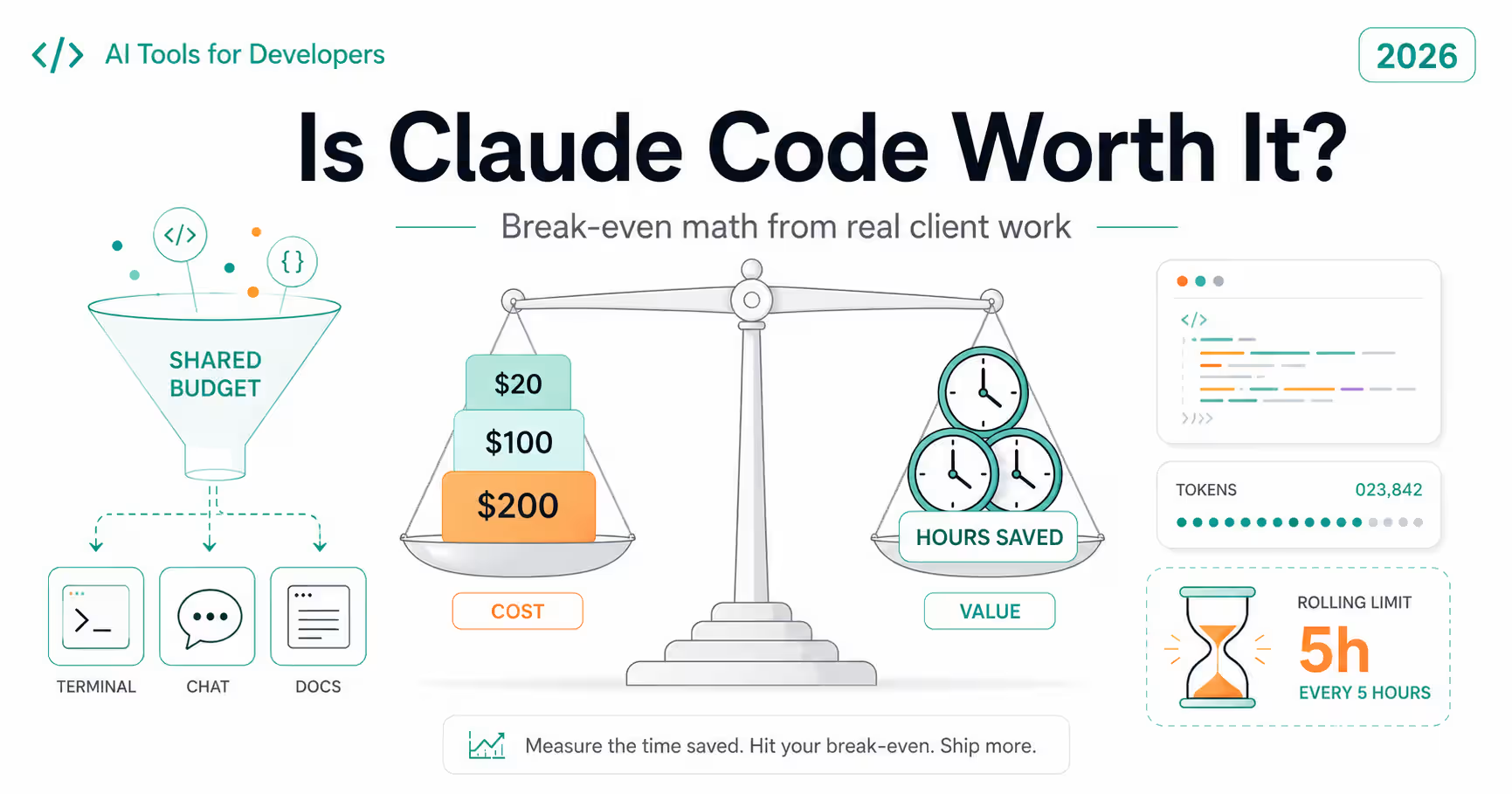
- 1Amounts → Max 5x gets $100/month, Max 20x gets $200/month. Team gets $20 per Standard seat and $100 per Premium seat, pooled and capped at $500.
- 2Claim → claude.ai in a browser: Settings → Billing → API credits → Link organization. You need seven days on the plan first.
- 3Catch → credits expire at the end of each billing cycle. Nothing rolls over.
On October 7, 2026, Anthropic started including monthly API credits with Claude Max and Team plans. If you pay $100 or $200 a month for Max, you now also get $100 or $200 of Claude Platform credit to spend on your own apps, scripts and agents. That's a real change for anyone who has been paying for a subscription and the API separately. But the fine print decides whether you'll actually use the money: which plans qualify, how the claim works, which tools draw from the balance, and the one Claude Code edge case that trips people up. This guide covers all of it, plus what the credit buys on each current model.
What Anthropic Added on October 7
The credits sit on top of your subscription. They don't change your usage limits in Claude, Claude Code or Cowork. They are a separate balance in a Claude Console organization, billed against the API exactly like credits you would buy.
Here is what each plan gets, from Anthropic's help center article on the program:
- Team example: three Standard seats plus two Premium seats = 3 × $20 + 2 × $100 = $260 a month.
- Annual Max and Team plans still receive credits monthly, not as a lump sum.
- Nonprofit and scientist-discounted Team plans get the same per-seat amounts.
| plan | monthly api credit | notes |
|---|---|---|
| Max 5x | $100 | Arrives shortly after each plan payment |
| Max 20x | $200 | Upgrading from 5x gives prorated credit immediately |
| Team (Standard seat) | $20 per seat | Pooled with other seats |
| Team (Premium seat) | $100 per seat | Pooled; team total capped at $500/month |
| Pro, Free, Enterprise | None | Not eligible |
Who Can Claim the Credits
Eligibility is narrower than "anyone on Max". All of the following have to be true:
- Your Max or Team subscription is active and in good standing.
- You have been on an eligible plan for at least seven days.
- On Max, you are the subscriber. On Team, you are the Primary Owner or an Owner.
- In the Console organization you link, you hold the Owner, Admin or Billing role.
- You claim on claude.ai in a web browser. Subscribing through iOS or Android is fine, but the claim itself isn't in the mobile apps.
How to Claim Your API Credits, Step by Step
The whole flow takes a couple of minutes once you're eligible. The rollout began on October 7 and took a few days, so if you don't see the section yet, check the seven-day rule first.
- Step 1: Sign in to claude.ai in a browser with the same email you use (or will use) for the Claude Console.
- Step 2: Open Settings → Billing on Max, or Organization settings → Billing on Team.
- Step 3: Find the API credits section and select Link organization.
- Step 4: Pick an existing Console organization or create a new one in the same flow.
- Step 5: Review the Supplemental Credit Terms and confirm the link.
- Step 6: Open platform.claude.com → Settings → Billing to see the balance and its expiry date, then create an API key in that organization.
What the Credits Cover, and What They Don't
This is the part most early write-ups glossed over. The credits pay for building things on the API. They don't pay for using Anthropic's own apps more.
| usage | covered | detail |
|---|---|---|
| Messages API and Message Batches API | Yes | Any available Claude model |
| Console Playground | Yes | Handy for prompt testing before you write code |
| Claude Agent SDK | Yes | With an API key from the linked org |
| Claude Managed Agents | Yes | Server-hosted agents on the Claude Platform |
| claude -p with your own API key | Yes | Only when you run it yourself with a key from the linked org |
| Interactive Claude Code (terminal, IDE, desktop, web) | No | Still uses your plan's usage limits |
| Claude Code GitHub Action, IDE extension, desktop app | No | Counts as Claude Code usage even with -p |
| Extra usage in Claude, Claude Code or Cowork | No | Billed separately |
| Claude on Bedrock, Vertex AI or Microsoft Foundry | No | Cloud provider billing only |
The claude -p Edge Case
Headless Claude Code (claude -p) is the one place where the same command can bill two different ways. If you're signed in with your Claude plan, claude -p draws from your plan's usage limits. If you run it yourself with an API key from your linked Console organization, it draws from the monthly credit.
The safest pattern is to scope the key to the one script that needs it, rather than exporting it in your shell profile where every Claude Code session would pick it up:
Scope the API key to a single headless run so interactive sessions keep using your plan.
# Runs against the linked Console org's monthly credit
ANTHROPIC_API_KEY="$(cat ~/.config/claude-credits.key)" \
  claude -p "Summarise the commits since yesterday as release notes" \
  --output-format json > release-notes.json

# Plain interactive session: no key in the environment, uses your Max plan
claude
What $100 a Month Actually Buys
Dollar amounts mean little until you map them to work. Take one realistic job: summarizing a pull request, with about 8,000 tokens of diff and context in and 1,000 tokens of summary out. At October 2026 list prices, this is what one run costs and how many runs $100 covers:
- Most solo developers won't exhaust $100 on Haiku 5.5 or Sonnet 5.5. The realistic risk is the opposite: credits expiring unused.
- Opus 5.5 and Fable 5.1 burn through the balance roughly 2x and 5x faster than Sonnet 5.5, so save them for jobs where the cheaper model actually fails.
- Prompt caching stretches the credit further. Cache hits on Opus 5.5 and Sonnet 5.5 cost 5% of the base input price.
| model | price in/out per mtok | cost per run | runs per $100 |
|---|---|---|---|
| Claude Haiku 5.5 | $0.10 / $0.50 | $0.0013 | ≈ 77,000 |
| Claude Sonnet 5.5 | $2 / $10 | $0.026 | ≈ 3,800 |
| Claude Opus 5.5 | $4 / $20 | $0.052 | ≈ 1,900 |
| Claude Fable 5.1 | $10 / $50 | $0.13 | ≈ 770 |
Five Practical Ways to Use the Credit
Because the money expires monthly, the best uses are small recurring jobs you would never have paid for separately. A few that suit a typical developer setup:
Minimal Messages API call on Haiku 5.5 that logs token usage, so you can see what each run costs.
import Anthropic from "@anthropic-ai/sdk";

const client = new Anthropic(); // reads ANTHROPIC_API_KEY

const PRICE = { input: 0.10, output: 0.50 }; // Haiku 5.5, $ per million tokens (prompts ≤100K)

const msg = await client.messages.create({
  model: "claude-haiku-5-5",
  max_tokens: 1024,
  messages: [{ role: "user", content: "Group these errors by root cause:\n" + logs }],
});

const { input_tokens, output_tokens } = msg.usage;
const cost = (input_tokens * PRICE.input + output_tokens * PRICE.output) / 1_000_000;
console.log(`${input_tokens} in / ${output_tokens} out ≈ $${cost.toFixed(4)}`);
1. Nightly PR and commit summaries through the Batch API
Collect the day's merged PRs, submit them as one batch on Haiku 5.5 or Sonnet 5.5, and post the results to Slack or a changelog file. Batches take up to 24 hours but cost half, which is fine for an overnight job.
2. Release-note drafts from git history
A headless claude -p run with your scoped key (see above) turns git log output into a first draft you edit, not a final document you publish blind.
3. Log and error triage
Feed grouped error logs to Haiku 5.5 and ask for a ranked list of distinct root causes. At about a tenth of a cent per run, you can afford to run it on every deploy.
4. Test-fixture and seed-data generation
Generate realistic but fake records (names, addresses, edge-case strings) for local development. Validate the output against your schema before it touches a database.
5. A small personal agent on the Agent SDK
The credit covers the Agent SDK, so it's a good budget for experimenting with a single-purpose agent, such as one that reads your inbox export and drafts replies for review, without opening a separate API bill.
Guardrails Before You Share the Key
Everyone with an API key in the linked organization draws from the same balance. On a Team plan that's the point, but it also means one runaway loop can drain the month's credit for everyone.
- Set workspace spend limits in the Console so each project or person has a ceiling.
- Credits are spent before any purchased credits, so a forgotten auto-reload can quietly turn a free experiment into a paid one once the monthly credit is gone.
- Unused credit expires at the end of each billing cycle. Check the expiry date under Settings → Billing in the Console.
- If you cancel or downgrade, new credits stop but the current balance stays usable until it expires.
- Never commit the key. Keep it in a secrets manager or a file outside the repository, as in the example above.
Frequently Asked Questions
Strategic Summary
Final Thoughts
The monthly API credit is the most useful thing Anthropic has added to Max for developers this year, but only if you claim it and give it work. Link a dedicated Console organization, scope the API key to scripts instead of your whole shell, set a spend limit, and point the credit at small recurring jobs on Haiku 5.5 or Sonnet 5.5 where it lasts all month. If you're still deciding whether Max is worth it in the first place, the credit changes that maths. See Is Claude Code worth it in 2026 for the plan-by-plan breakdown, and the best Claude model for coding for which model to put the credit on. --- Last reviewed: October 14, 2026. Amounts, eligibility and coverage are from Anthropic's help center and release notes; prices are from the Claude Platform pricing page. Anthropic changes these terms, so check the sources below before you plan a team budget around them. No affiliation with Anthropic; no affiliate links.
Claimed your credits? Tell me what you're running on them. I'm collecting real use cases for a follow-up on what fits inside $100 a month.
Next Up
Continue your research
Sources & Research
Anthropic Help Center: Monthly API credits for Max and Team plans
https://support.claude.com/en/articles/17154008
Anthropic Help Center: Claude release notes (October 7, 2026 entry)
https://support.claude.com/en/articles/12138966-release-notes
Claude Platform Docs: Pricing
https://platform.claude.com/docs/en/about-claude/pricing
Claude Platform Docs: Batch processing
https://platform.claude.com/docs/en/build-with-claude/batch-processing