Google Antigravity CLI Review: Tested on a Real Project

Written by
Sumit Patel
Published
June 30, 2026
Updated
June 30, 2026
Reading Level
Advanced Strategy
Investment
22 min read
Antigravity CLI — the short version
- 1What it is → Google's terminal AI agent (agy), Go binary, successor to Gemini CLI, shares the Antigravity 2.0 harness.
- 2Default model → Gemini 3.5 Flash (High); switch to Gemini 3.1 Pro, Claude Sonnet 4.6, Claude Opus 4.6, or GPT-OSS 120B via /model.
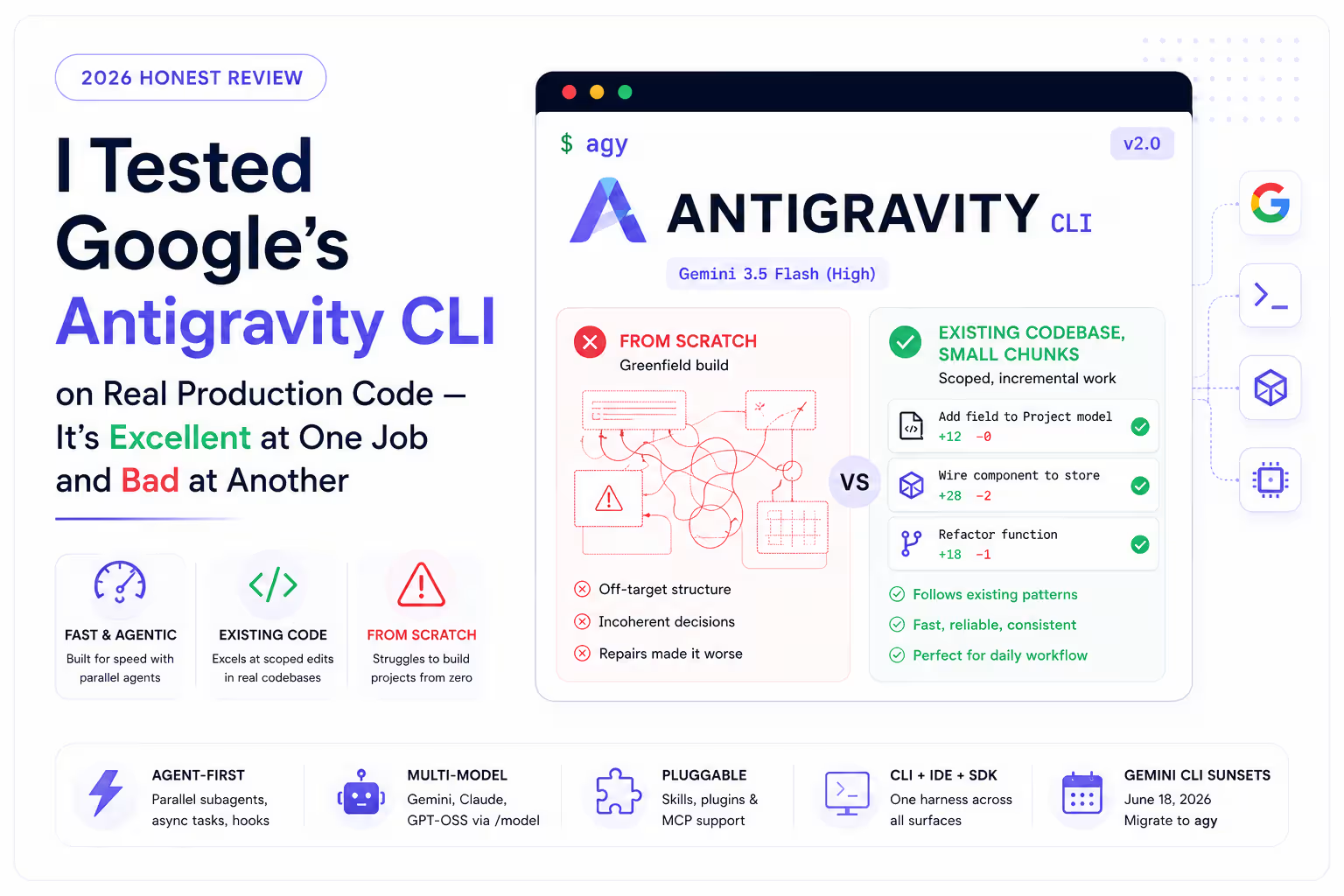
- 3Best at → scoped, incremental edits inside an existing codebase. Fast and reliable there.
- 4Weakest at → building from scratch. My greenfield result was poor even with a detailed prompt.
- 5Team reality → great for UI/design work in my colleagues' hands; results are very prompt-dependent.
- 6vs Claude Code → Antigravity is faster with more surface area; Claude Code is stronger on complex/from-scratch tasks.
- 7Migration → Gemini CLI consumer access ends June 18, 2026; migrate with agy plugin import gemini.
- 8Verdict → keep it in your stack for brownfield chunks; don't make it your greenfield builder.
Why I'm the one writing this — and why it isn't a launch-day hot take.
I'm a frontend developer. I build and maintain a 25-module ERP plus several client projects in React and TypeScript, and I use AI coding agents every single working day to do it — not occasionally, constantly. My daily stack is Antigravity (both the IDE and the new CLI), OpenAI Codex, and Claude Code, and my whole team runs the same kind of mix. So this isn't a review written after one afternoon of playing with a fresh install. Most of what's on the first page of Google for 'Antigravity CLI' right now is launch-day tutorials: install it, here are the slash commands, here's a toy demo. Useful, but written from the outside on day one. What I wanted to answer is the question that actually decides whether a tool earns a slot in your workflow: when you point it at real work — a from-scratch build and a big existing codebase — where does it genuinely help and where does it get in your way? The honest answer is split, and I'll give you both halves plainly, including the part where it let me down. I have no affiliation with Google and no incentive to oversell or trash it — the tools named here are simply the ones I use.
Here's the thing nobody tells you in the launch posts: an AI coding agent can be brilliant and useless in the same week, depending entirely on what you ask it to do. That's exactly what Google's new Antigravity CLI has been for me. Antigravity 2.0 landed at Google I/O in May 2026, and the headline for terminal users was that Gemini CLI is being folded into a new, faster, agent-first command-line tool called Google Antigravity CLI — you invoke it as agy. I've now run it across real ERP and client work for weeks, next to Codex and Claude Code, and I've watched it do two very different things: fail at a job I expected it to handle, and quietly excel at a job I didn't expect to lean on it for. The short version of my finding: Antigravity CLI is excellent at scoped, incremental work on an existing codebase, and weak at building something from scratch. This post is the long version — what the tool actually is, the from-scratch build where it fell apart on me, the existing-codebase work where it's now a daily driver, my theory on why that gap exists, what my team uses it for (including the design work it's genuinely good at), and a setup quick reference so you can try it yourself. If you've already hit my earlier piece on the Antigravity 'high traffic' error, this is the companion: less about the outage, more about whether the tool deserves a place in your stack.
Key Takeaways
7 PointsThe Honest 30-Second Verdict
If you only read one section, read this one.
Antigravity CLI is one of the fastest, most pleasant terminal agents I've used for the specific job of making scoped changes inside code that already exists. Add a field across a few files, wire a component to an existing store, refactor a function while following the patterns already in the repo — it does that quickly and gets it right far more often than not. On a large production project I maintain, it's now part of my daily routine for exactly this kind of bounded work.
Where it lost me was building from scratch. I handed it a long, carefully structured prompt for a greenfield project and the end result was genuinely poor — not 'needs a few tweaks' poor, but 'this isn't the thing I asked for' poor. When I opened the same project in the Antigravity IDE to fix it by hand with the agent's help, it kept compounding the mess rather than untangling it. For from-scratch builds I still reach for Claude Code.
So the verdict isn't 'good' or 'bad.' It's directional: brownfield, yes; greenfield, not for me. And as you'll see in the team section, the greenfield struggle may be as much about how I prompted it as about the tool itself.
What Is Google Antigravity CLI? (The Quick Definition)
Antigravity CLI is Google's terminal-based AI coding agent, announced at Google I/O on May 19, 2026 as the direct successor to Gemini CLI. You invoke it with the short command agy. It is built in Go and ships as a single binary for macOS, Linux, and Windows, which means there's no Python runtime to manage — a real convenience if you've ever fought Gemini CLI's pinned dependencies.
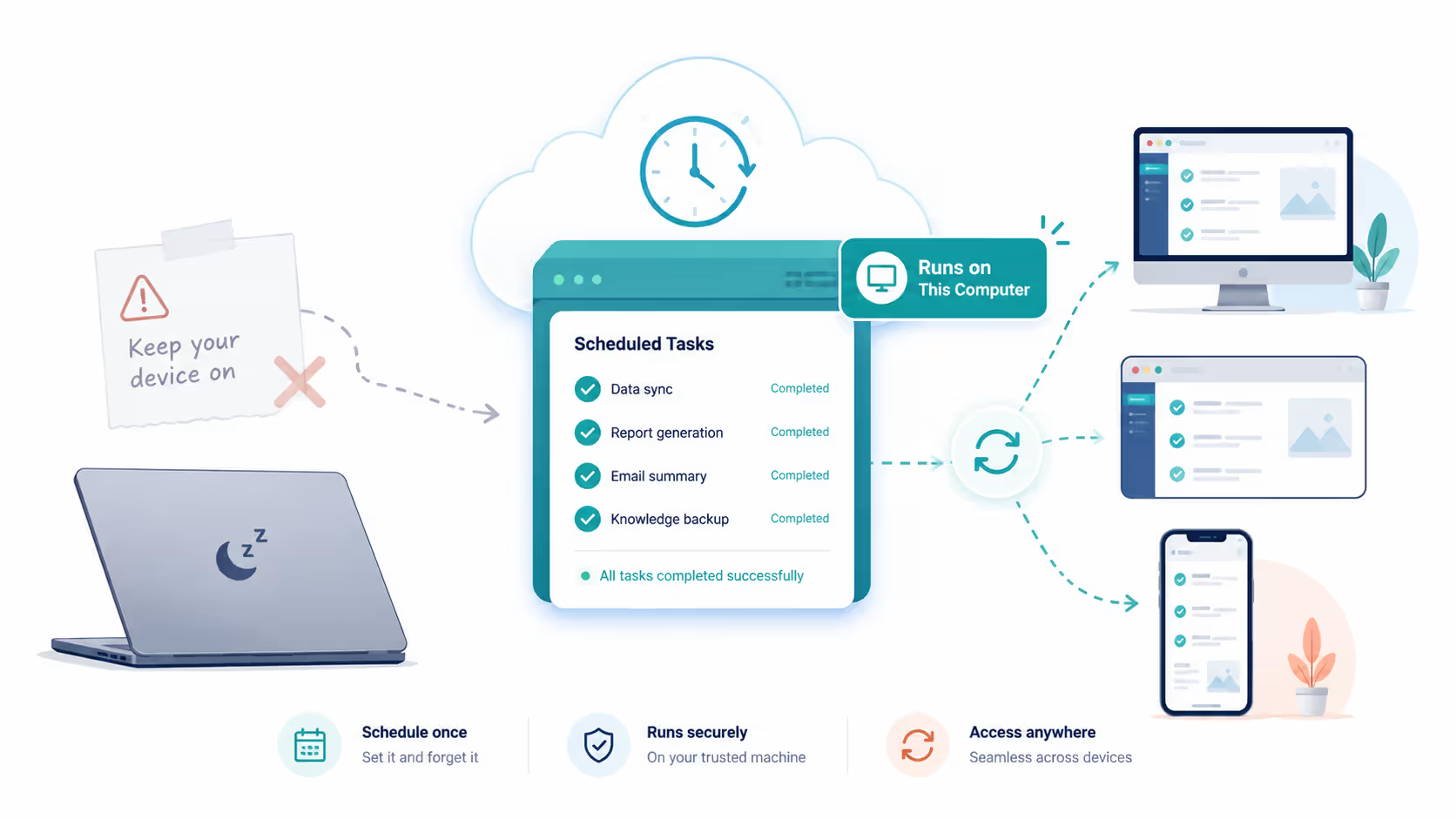
The important architectural point is that it isn't a standalone toy. Antigravity CLI shares the same agent harness as the Antigravity 2.0 desktop app, so improvements to the core agents reach the terminal and the GUI at the same time. Google's framing is that the CLI is optimized for speed and low overhead, while the 2.0 desktop app is optimized for a fuller feature set — multi-agent supervision, scheduled tasks, a browser surface, and so on. There's also an Antigravity SDK (Python, TypeScript, Go) for embedding the agent into your own apps.
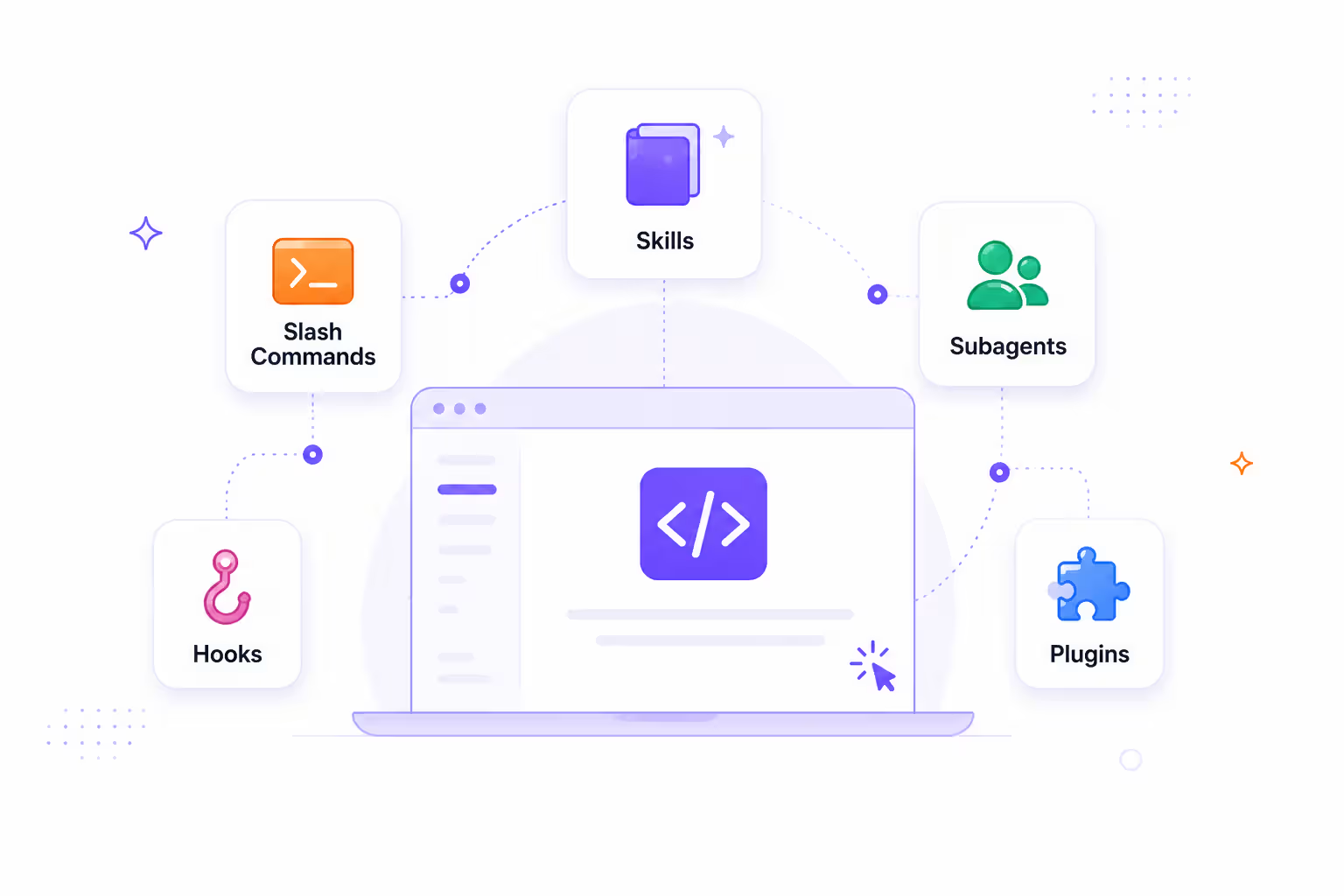
By default the CLI runs Gemini 3.5 Flash (High), the fast model Google pushed at I/O 2026. From inside the CLI you can switch models with /model — at the time of writing the menu includes Gemini 3.5 Flash (High/Medium), Gemini 3.1 Pro (High/Low), Claude Sonnet 4.6 (Thinking), Claude Opus 4.6 (Thinking), and GPT-OSS 120B (Medium). It supports parallel subagents, asynchronous background tasks so a long refactor doesn't lock your terminal, plus hooks, skills, and plugins (the old Gemini CLI extensions).
One date to put in your calendar: consumer Gemini CLI and the Gemini Code Assist IDE extensions stop serving requests on June 18, 2026 for the free, Pro, and Ultra tiers. Antigravity CLI is the replacement. Enterprise access via a Gemini Code Assist license or Google Cloud is unaffected.
- Command: agy — a Go binary, no Python runtime required, macOS/Linux/Windows.
- Shares the Antigravity 2.0 agent harness; CLI is tuned for speed, the desktop app for breadth.
- Default model Gemini 3.5 Flash (High); switch to Gemini 3.1 Pro, Claude Sonnet 4.6, Claude Opus 4.6, or GPT-OSS 120B via /model.
- Parallel subagents, async background tasks, hooks, skills, plugins, and an SDK (Python/TS/Go).
- Gemini CLI consumer access sunsets June 18, 2026 — Antigravity CLI is the successor.
How I Tested It (My Real Setup, Not a Benchmark)
I didn't run a synthetic benchmark. I used it the way I use every other agent: inside my actual job, on real deadlines, where a bad output costs me real time.
My setup was the default install — agy authenticated to my Google account, permissions left at request-review so the agent shows me its plan before it executes, and the default Gemini 3.5 Flash (High) model for most runs, with a few comparison passes on Gemini 3.1 Pro and Claude models via /model. I deliberately split the testing into the two modes that matter most in day-to-day work:
First, greenfield — start a brand-new project from nothing and ask the agent to build the initial structure and features. Second, brownfield — drop into a large existing production codebase and ask for small, well-scoped changes, the kind I'd otherwise do by hand or hand to Claude Code.
Those two modes produced almost opposite experiences, which is the whole story of this review. I'll take the disappointing one first, because it's the one the launch tutorials won't tell you about.
Where Antigravity CLI Failed Me: Building From Scratch
This is the part I most want to be honest about, because it's the opposite of what I expected going in.
I started a new project from scratch and wanted the agent to do the heavy lifting on the initial build. I didn't lazy-prompt it either. I actually had Claude write me a long, detailed, well-structured prompt first — clear requirements, the stack, the structure I wanted, the constraints — and handed that to Antigravity. The kind of prompt that usually gets you 80% of the way with a strong agent.
The end result was bad. Not 'rough first draft' bad — genuinely off-target, with structural choices I hadn't asked for and pieces that didn't fit together. So I did the natural next thing: opened the project in the Antigravity IDE to repair it with the agent's help, working through the problems one at a time. That made it worse. Each fix seemed to disturb something else, and instead of converging on a working project it kept getting more tangled. I eventually stopped fighting it.
For contrast, this is the exact scenario where Claude Code has been more reliable for me — give it a greenfield build and it tends to make coherent architectural decisions and hold them together. So my takeaway isn't 'Antigravity is broken.' It's narrower and more useful: as a from-scratch builder, in my hands, it underperformed, and the IDE's repair loop didn't rescue it. If you're choosing a tool specifically to spin up new projects, this is the weakness to test before you commit.
- Greenfield build with a detailed, Claude-drafted prompt → poor, off-target result.
- Repairing it inside the Antigravity IDE compounded the mess rather than fixing it.
- Same greenfield scenario has been more reliable for me with Claude Code.
- Conclusion: don't pick Antigravity primarily as your from-scratch builder without testing it on your own stack first.
Where Antigravity CLI Shines: Small Chunks on an Existing Codebase
Now the other half — and the reason it stays in my daily stack.
On a large existing production codebase I maintain, Antigravity is a genuinely good worker. When the project already exists and I hand it a small, well-defined chunk — add this field and thread it through the relevant files, build this component using the patterns already in the repo, refactor this function without changing its behavior, adjust this slice and the screens that consume it — it does the job quickly and correctly far more often than not. The fast default model and the agent-first design pay off here: scoped tasks finish in the time it takes to read the diff, and because there's already a codebase to imitate, it makes choices that match the existing style instead of inventing its own.
This is the workflow I'd actually recommend it for. Keep the unit of work small and bounded. Let it propose, glance at the plan, approve, review the diff. In that loop it's fast, low-friction, and reliable enough that I trust it with real client code. The async background execution helps too — I can kick off a larger refactor and keep working in the terminal instead of watching a spinner.
The pattern is clear when you put the two halves side by side: the more context and structure already exist in the project, the better Antigravity performs. The emptier the canvas, the more it struggles.
Why the Gap? My Theory on Greenfield vs Brownfield
I can't see inside Google's harness, so treat this as an informed hypothesis from someone who lives in these tools, not a verdict.
The pattern — strong on existing code, weak from scratch — lines up with how these agents actually work. An agent paired with a fast model is exceptional at pattern-matching: when a codebase already exists, there are conventions to copy, types to respect, neighbouring files to imitate, and a clear 'shape' the change has to fit. That constrains the problem, and constraint is exactly what makes agentic edits reliable. Building from scratch removes all of that. There's no existing pattern to follow, so the model has to supply architectural judgment — naming, boundaries, what goes where, what not to build — and that's the hardest thing for any agent to get right consistently. A fast model optimized for throughput can pay for that speed in exactly this kind of open-ended decision-making.
The IDE repair loop failing me probably has the same root. Once a from-scratch project starts off-target, every fix is itself an open-ended decision against an incoherent base, so the agent compounds rather than converges — the same fixes-make-it-worse pattern I cover in my vibe debugging guide.
The second factor is prompt sensitivity, and I won't pretend otherwise. A detailed prompt isn't automatically a good prompt for a given agent — different harnesses respond to different framing, and a prompt tuned for Claude's style won't necessarily steer Gemini-3.5-Flash the same way. Some of my greenfield failure is almost certainly me prompting it the way I prompt Claude, rather than the way Antigravity wants to be driven. Which is the perfect bridge to what my team sees.
- Existing codebase = patterns to imitate = a constrained problem = reliable agentic edits.
- From scratch = no patterns = the model must supply architectural judgment = where fast models are weakest.
- A repair loop on an already-incoherent base tends to compound, not converge.
- Prompt style matters: a prompt tuned for one agent's harness can underperform on another's.
What My Team Actually Uses It For (Including Design)
Here's the context that keeps me honest about my own result.
My whole team uses Antigravity — the IDE and the CLI — alongside Codex and Claude Code, and several of my colleagues are genuinely happy with it, especially for designing and UI work. In their hands it produces good results consistently. That's a strong signal. When the same tool fails for me on greenfield but works well for teammates on design-heavy work, the most likely explanation isn't that the tool is bad; it's that fit and prompting vary by person and by task. I'm fairly sure my from-scratch prompts were part of my problem.
That's also why I run a multi-tool setup rather than crowning a single winner. On any given day I'll have Antigravity (CLI for fast terminal chunks, IDE for visual/design work), Codex, and Claude Code all within reach, and I move between them by task. Nobody on the team treats these as either/or. The agents have different strengths, and the productive move is to learn which one to grab for which job rather than forcing one tool to do everything.
So take my greenfield disappointment as one data point inside a bigger, more positive picture: a team that uses Antigravity every day and gets real value from it — just not, for me, as a from-scratch builder.
Antigravity CLI vs Claude Code vs Codex: How I Split the Work
I'm not going to crown a single best agent, because I genuinely use all three and they earn their place differently. Here's how I actually decide which one to open, and a side-by-side of the traits that drive that decision.
My rule of thumb: Antigravity CLI for fast, scoped edits on an existing codebase; Claude Code for greenfield builds and anything architecturally heavy or reasoning-intensive; Codex when I'm already in that ecosystem or want a second opinion on a tricky change. For design and UI work, Antigravity (especially in the IDE) is a strong first choice based on my team's results.
| dimension | antigravity cli | claude code | codex |
|---|---|---|---|
| Best at | Scoped edits on existing code; speed | From-scratch builds; complex reasoning | Terminal agentic work in the OpenAI ecosystem |
| Weak spot (in my use) | Building from scratch; prompt-sensitive | Usage limits on heavy days; cost | Varies by task; ecosystem lock-in |
| Default model | Gemini 3.5 Flash (High), switchable | Claude (Sonnet/Opus class) | GPT-5.x class |
| Surface area | CLI + desktop app + SDK | CLI + IDE integrations | CLI + IDE integrations |
| Speed feel | Fastest of the three for me | Slower but higher-quality on hard tasks | Comparable, task-dependent |
| I reach for it when | Small chunk, existing repo, need it now | New project or a genuinely hard problem | Second opinion / OpenAI-native flow |
* Model availability, pricing, and quota for all three tools change frequently. Antigravity is offered via Google AI Pro and AI Ultra tiers with compute-based usage that refreshes on a rolling window; Claude Code and Codex have their own paid tiers and limits. Always verify current pricing on each vendor's official page before committing — figures here describe behaviour and fit, not a price guarantee.
Setup & Key Commands (Quick Reference)
If you want to try it on your own existing codebase — which, per everything above, is where I'd start — here's the minimal path. Install the binary, authenticate, optionally migrate your old Gemini CLI config, then open it inside a real repo and hand it a small task.
A few habits I'd carry over from the start: leave permissions at request-review until you trust it, attach the relevant files with @ so the agent has the right context, pick your model with /model deliberately (Flash for speed, a heavier model for harder edits), and keep your first tasks small and bounded. Check /usage to see where your quota stands across models.
- Install the Go binary with the official script; no Python runtime needed.
- Authenticate via Google OAuth (or a GCP project for higher limits / production).
- Migrate old config with agy plugin import gemini before Gemini CLI sunsets on June 18, 2026.
- Leave /permissions at request-review, attach files with @, and pick the model with /model.
- Start with small, bounded tasks on an existing repo — that's where it performs best.
Should You Use It? My Honest Verdict
Yes — but for a specific job, and with clear eyes about where it struggles.
Put Antigravity CLI in your stack if you spend most of your time making scoped changes inside existing projects, want a fast terminal agent that respects the patterns already in your code, and like the idea of one harness spanning a CLI, a desktop app, and an SDK. If you're an existing Gemini CLI user, you don't really have a choice — consumer access ends June 18, 2026 and this is the migration path — but the good news is the destination is faster and more capable for that incremental work.
Don't pick it as your primary from-scratch builder without testing it on your own stack first. That was its weakest mode for me, and the IDE repair loop didn't save the greenfield project. For new builds and hard architectural problems I still default to Claude Code, and I keep Codex around as a third option.
The honest, slightly unsatisfying truth is that the best setup in 2026 isn't one tool — it's knowing which agent to grab for which task. Antigravity CLI has earned a permanent slot in mine for brownfield work. It just isn't the whole toolbox, and any review that tells you a single agent wins everything isn't describing how this work actually gets done.
Frequently Asked Questions
Strategic Summary
Final Thoughts
The honest summary of my time with Antigravity CLI: it's excellent at one job and weak at another, and pretending otherwise would make this just another launch-day puff piece. It earned a permanent place in my stack for scoped, incremental work on existing codebases — fast, low-friction, and reliable enough for real client code. It lost me on building from scratch: a detailed, Claude-drafted prompt still produced a poor result, and the IDE repair loop compounded the problem instead of fixing it. For greenfield I still reach for Claude Code, and I keep Codex in the mix as a third option. The part that keeps me fair about all of this is my team. They use Antigravity every day — especially for design and UI work — and get real value from it, which tells me my greenfield struggle is at least partly about fit and prompting, not a flat failing of the tool. That's the bigger lesson worth taking away: in 2026 the winning setup isn't a single agent, it's knowing which one to open for which task, and adapting how you prompt each one. Antigravity CLI is a genuinely good tool for the right job. Just don't ask it to be the whole toolbox. If you're migrating off Gemini CLI before the June 18 cutoff anyway, start it on an existing repo with a small task and you'll see the good side first. Then test it on a from-scratch build before you trust it there — and decide with your own code, not my word for it. --- Last reviewed: June 2026. Product details (models, commands, pricing, quota) are taken from Google's I/O 2026 announcements and official Antigravity documentation at the time of writing and change frequently — verify directly before relying on them. Experience described reflects my own real usage and my team's; project specifics are kept high-level to respect client confidentiality. No affiliation with Google or any tool named.
Have you tried Antigravity CLI on your own code? Tell me in the comments which mode you used it in — from scratch or scoped edits on an existing repo — and what you got. I'm collecting real-world results across stacks, and the greenfield-vs-brownfield split is exactly the thing I want more data points on.
If you found this useful, I write hands-on, no-hype reviews of AI coding tools from daily client work — Antigravity, Claude Code, Codex, Cursor and more. Browse the AI Tools for Developers hub, or reach me via stacknovahq.com/contact.
Next Up
Continue your research
Google Antigravity "High Traffic" Error: Cause, Workarounds & Status
Claude Code vs Cursor on a 25-Module ERP: An Honest Comparison
Best AI Tools for Developers 2026: 6 Tested on Real Client Code
How to Debug AI-Generated Code: A Real Developer's Vibe Debugging Guide
MCP Servers for Frontend Devs: A Practical Setup Guide (Claude Code, 2026)
Sources & Research
Google Developers Blog — Transitioning Gemini CLI to Antigravity CLI (May 19, 2026)
https://developers.googleblog.com/an-important-update-transitioning-gemini-cli-to-antigravity-cli/
Google Antigravity — Introducing Google Antigravity CLI (official blog)
https://antigravity.google/blog/introducing-google-antigravity-cli
Google Antigravity — Download (macOS / Linux / Windows)
https://antigravity.google/download
DataCamp — Google Antigravity CLI: Orchestrating Parallel AI Agents (tutorial)
https://www.datacamp.com/tutorial/antigravity-cli
Gemini CLI → Antigravity CLI migration discussion (GitHub)
https://github.com/google-gemini/gemini-cli/discussions/27274