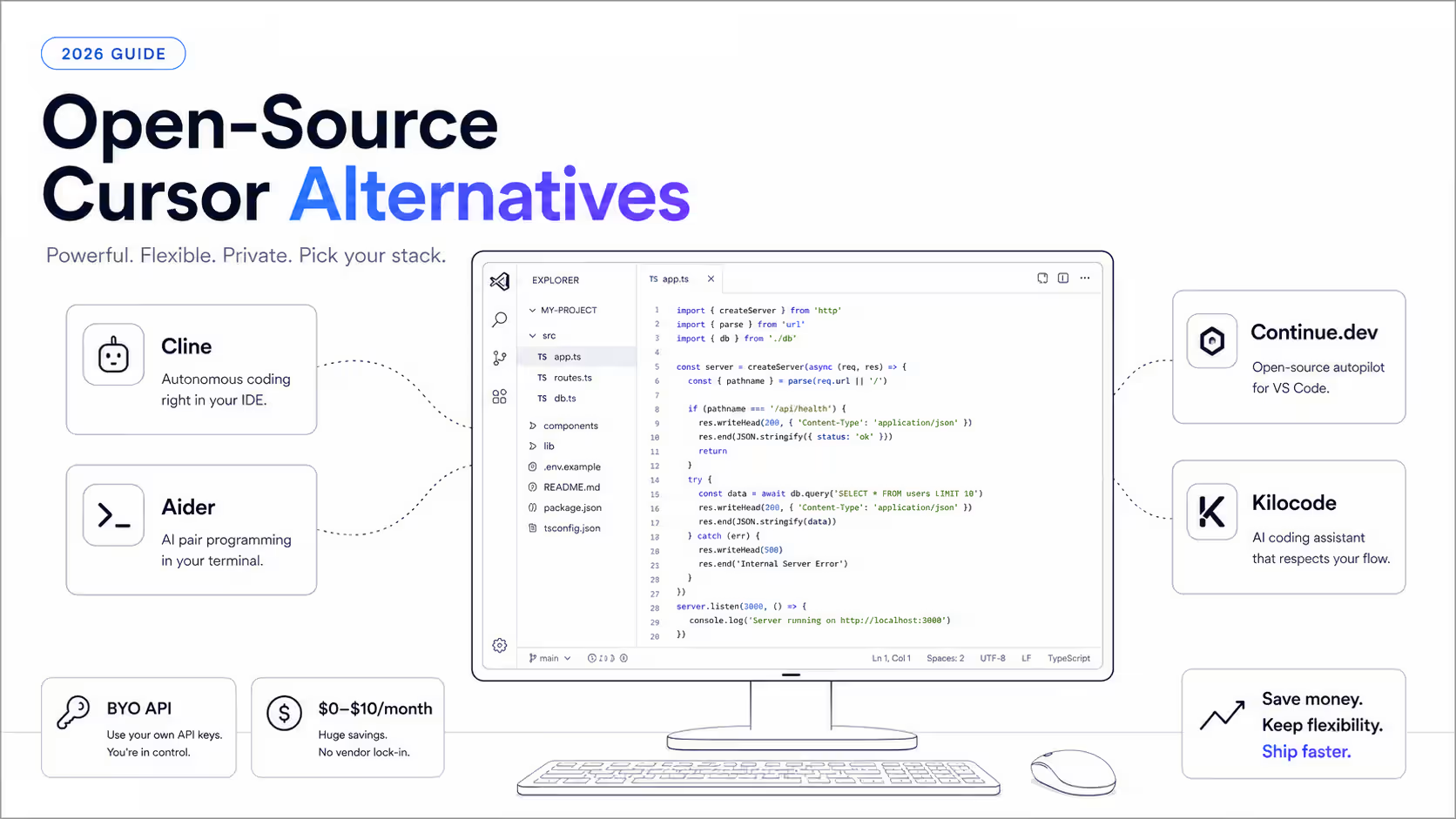
Open-Source Cursor Alternatives 2026: 7 Free Tools

Written by
Sumit Patel
Published
May 14, 2026
Updated
June 21, 2026
Reading Level
Advanced Strategy
Investment
47 min read
TL;DR — Which Open-Source Cursor Alternative Should You Pick
- 1Want the closest open-source Cursor experience: Cline. Free open-source VS Code extension, bring your own API key, pay at cost.
- 2Want maximum token efficiency: Aider with Architect Mode. About 4.2x more token-efficient than Claude Code; $60–$80/month sustainable for heavy daily use.
- 3JetBrains user (IntelliJ, PyCharm, WebStorm, GoLand): Continue.dev. Best JetBrains support of any open-source AI coding tool.
- 4Want maximum model choice at zero markup: Kilocode. 400+ models at OpenRouter rates, no platform fee.
- 5Building a small startup team: Cline Teams. First 10 seats permanently free, then $20/seat — saves roughly $3,840–$4,800/year vs Cursor Teams for a 10-person team.
- 6Privacy-critical or air-gapped work: Cline + Ollama running a local coding model such as Qwen 3 Coder 32B. Zero data leaves your machine.
- 7Want a Cline fork with better team workflow features: Roo Code. Cline's lineage with additional orchestration.
- 8Want a fully open-source IDE (not just an extension): Void. VS Code fork with no closed-source backend.
- 9On a tight budget: Cline + DeepSeek or Qwen 3 Coder via OpenRouter free tier. Real client work for $0–$5/month.
Why I Run Client Work on Free Open-Source AI Coding Tools
When I migrated off Cursor in late 2025, I assumed the open-source path would be 'good enough for personal projects but not client work.' That assumption was wrong. For the last six months I've run real production client work — React/TypeScript ERP modules, CRM API integrations, AI-augmented data pipelines — on a setup that costs me roughly $12–$22/month in total: Cline as the IDE layer, Anthropic's current Sonnet model via direct API for complex reasoning, and a low-cost OpenRouter model for routine generation. The output quality is indistinguishable from running the same model through Cursor's agent on a $60/month tier. The insight that took me too long to internalize: when you use Cursor with a frontier model, what you're paying Cursor for is the wrapper, not the intelligence. The intelligence is the model. If you can put a different wrapper around the same model — one that's free and open-source — you keep all the intelligence and pay only the API costs. This is the territory of Cline, Aider, Continue.dev, Kilocode, and the other tools in this guide. This article is part two of a two-part Cursor IDE alternatives series. Part one covered the seven mainstream paid-and-freemium IDE alternatives — Windsurf, Claude Code, GitHub Copilot, Antigravity, Trae, Kiro, and Codex — and is the right starting point if you're choosing between paid options. This guide is for developers who've decided BYO-API-key is the right path and want the full picture: which tools, which models, which configurations, and how to make this actually cheaper than $20/month in real-world use. No affiliate links. No sponsored placements. Pricing and benchmarks verified June 2026. The recommendations are what I'd tell a developer friend asking 'how do I actually get off Cursor cheaply?' over coffee.
There is a question every Cursor refugee eventually asks, and most listicles never answer honestly: 'Why am I paying Cursor $60/month for Pro+ when the actual intelligence — the frontier model — costs roughly $15–$20 a month at direct API rates for the same usage?' The answer, of course, is the UX. Cursor's agent, the chat-in-sidebar workflow, the codebase indexing, the autocomplete polish — that's what the platform fee buys. And for many developers it's worth paying for. For everyone else, this guide is the alternative. In 2026 there is a thriving ecosystem of open-source AI coding tools that wrap the same Claude, GPT, and Gemini models you'd use through Cursor — without the platform fee, without the credit cliffs, and without the MAX-mode surcharges. The setup takes more configuration. You manage API keys yourself. You choose which model fits which task. But the rewards are real: 50–90% lower monthly cost, full per-project cost transparency, the option to run fully private local models, and zero vendor lock-in. I tested seven open-source Cursor alternatives over four months of production client work: Cline, Aider, Continue.dev, Kilocode, Roo Code, Void, and OpenCode. Each ran real workloads — React/TypeScript refactors, CRM integrations, AI-augmented data pipelines, and the kind of multi-file work that justifies AI coding tools in the first place. This guide also covers the half of the equation most listicles skip: which models to actually use with these tools. A current flagship Sonnet-class model is the safe default. Qwen 3 Coder and DeepSeek are the genuinely competitive cheap options. Kimi K2 is the long-context play. Local Ollama setups are the privacy answer. The model section alone is worth more than most paid-tool comparisons. A note before we start: model versions and token prices move fast. Every pricing and benchmark claim below is dated and linked to its source, and any specific model version is an example of a tier rather than a permanent recommendation — by the time you read this, the current flagship will likely have a higher version number. Here's the full picture, with real costs, real benchmarks, and the configuration I personally use for client work today.
Key Takeaways
10 PointsWhy Open-Source AI Coding Tools Are the Real Answer to Cursor's Pricing
Before getting to specific tools, it's worth understanding the structural reason open-source AI coding tools are cheaper than Cursor — because once you understand it, the choice becomes obvious for most developers.
When you use Cursor with a frontier model, three things happen on every prompt:
1. Cursor processes your code — indexing, RAG retrieval, context assembly, prompt construction. 2. The model provider processes the prompt — the actual model inference where the intelligence happens. 3. Cursor handles the response — diff generation, file editing, agent orchestration.
You pay Cursor for steps 1 and 3. You pay (indirectly, via Cursor's credit system) for step 2. The platform fee — what makes Cursor Pro $20/month, Pro+ $60/month, or Ultra $200/month — is for the wrapper around the intelligence.
Open-source AI coding tools replace steps 1 and 3 with free, open-source alternatives. Step 2 — the actual intelligence — stays the same. You're using the same Claude, the same GPT, the same Gemini that Cursor uses. You just pay Anthropic, OpenAI, or Google directly at API rates instead of paying Cursor a markup.
The practical consequence: for moderate use, an open-source tool plus direct API access typically costs $5–$15/month. For heavy use, $20–$40/month. Both numbers are substantially below Cursor Pro+ at $60/month and dramatically below Cursor Ultra at $200/month.
The trade-offs are also real and worth being honest about:
- More setup friction. You manage API keys, choose models, and understand which fits which task. - Less polished UX. Cursor's agent is genuinely best-in-class on UX. Open-source tools are good but not as polished. - More configuration responsibility. If something breaks, you debug it yourself rather than filing a support ticket.
For developers who value cost control, transparency, and flexibility over convenience, this is a worthwhile trade. For developers who genuinely need the most polished UX and don't mind paying for it, Cursor remains the right choice — and the companion guide on mainstream Cursor alternatives covers the cheaper polished options like Windsurf and Claude Code.
The rest of this guide covers the open-source path in detail.
- Cursor's platform fee pays for the wrapper around the intelligence, not the intelligence itself.
- Open-source tools replace the wrapper with free alternatives — you pay only the model provider directly at API rates.
- Real-world cost: $5–$15/month moderate use, $20–$40/month heavy use. Both substantially below Cursor Pro+.
- Trade-offs: more setup, less polish, more debugging responsibility. Worthwhile for developers who value cost control.
1. Cline — The Open-Source VS Code Agent Most Cursor Refugees Should Try First
Cline is the most under-discussed alternative on every Cursor comparison list, and after six months of using it on real client work, I think it's the single best tool for cost-conscious developers who want maximum control.
What it is: Cline is a free open-source VS Code extension (Apache 2.0 license per its current listings — a correction from older 'MIT' references; verify on the project's repo before quoting) that turns VS Code into a Cursor-equivalent agentic IDE. You install it from the marketplace, configure an API key from any provider — Anthropic, OpenAI, OpenRouter, Google, AWS Bedrock, or a local Ollama instance — and Cline runs an agent in your VS Code with capabilities comparable to Cursor's: multi-file edits, terminal command execution with approval, MCP integration, codebase awareness, and full visibility into every action the agent takes. Its provider list crossed 30 providers in 2026 and it has surpassed several million installs.
The pricing model is the entire point. Cline itself is free. You pay only the underlying model provider, at provider rates, with no platform markup. For developers comfortable managing API keys, this is the cheapest path to capabilities equivalent to Cursor's agent.
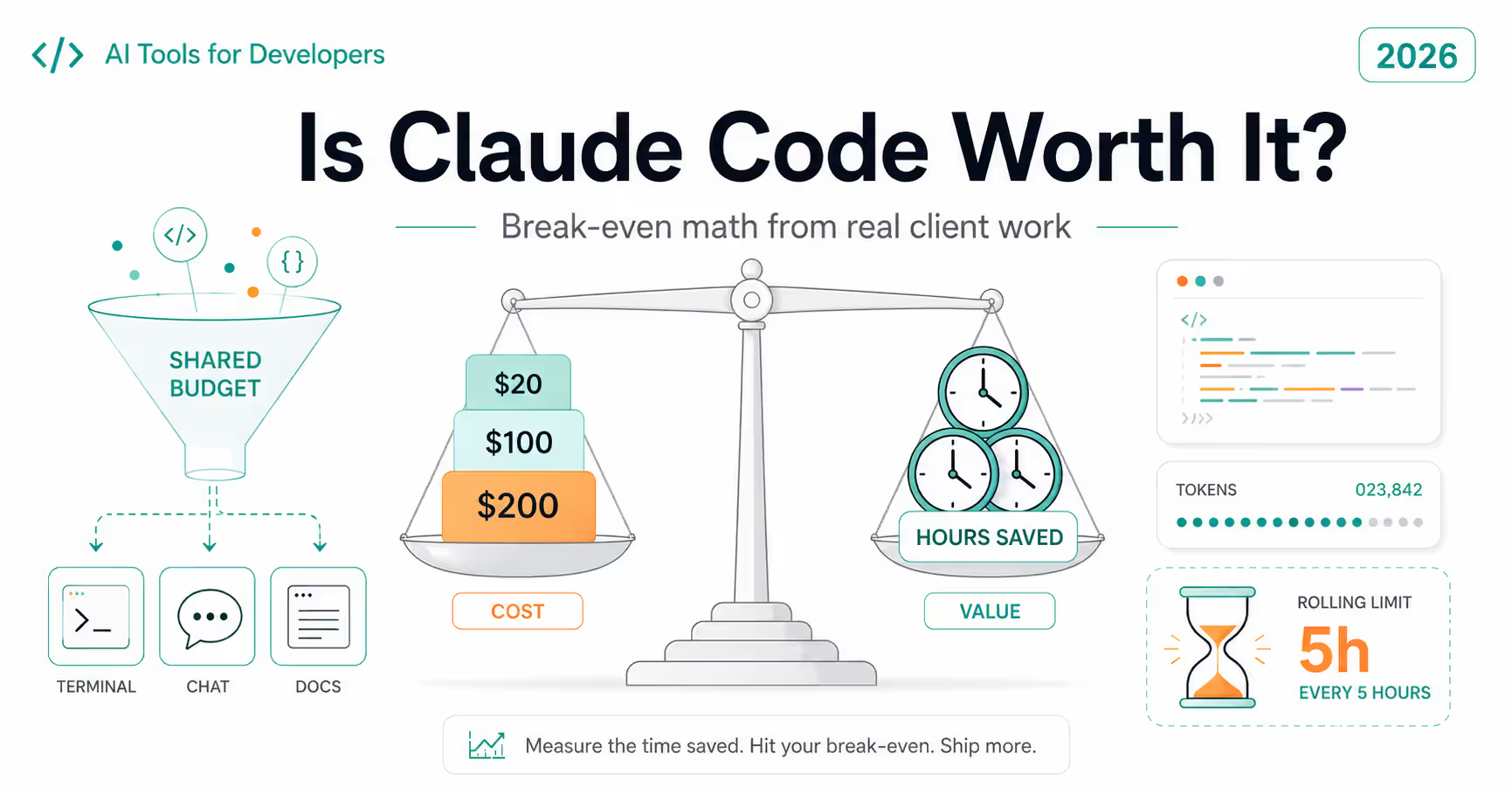
A concrete example from my actual usage: running Cline with Anthropic's current Sonnet model via direct API access on a normal client work week typically costs $5–$15. On a heavy refactor week with the flagship Opus in the mix, it's $20–$40. Compare to Cursor Pro+ at $60/month. Compare to Cursor Ultra at $200/month. The math is not subtle.
The Cline Teams detail — stated accurately. Cline Teams was free through Q1 2026 and is $20/user/month afterward, with the first 10 seats permanently free (pricing verified June 2026). So Cline Teams is not free at any scale — it is free up to 10 seats, then $20/seat. That still beats Cursor: a 10-person team on Cline Teams pays $0 in platform fees (10 free seats) versus Cursor Standard at $40/seat/month monthly, or $32/seat/month on annual billing. For a 10-person team that's a platform-fee saving of roughly $3,840–$4,800/year depending on Cursor's billing cycle — and both figures exclude the API/inference costs you pay either way. For freelancers building automation for clients, Cline Teams is a natural delivery model: you build the workflow, the client owns their seats, and the per-user cost stays at zero up to 10 people.
Model flexibility: Cline supports 30+ providers natively. You can use Anthropic's Claude directly, OpenAI's GPT models directly, Google's Gemini, AWS Bedrock for enterprise procurement, OpenRouter for unified billing across all of them, or a local Ollama instance for fully private operation. The same Cline configuration can switch between expensive frontier models for hard tasks and cheap fast models for routine work.
Where Cline still trails Cursor: out-of-box UX polish. Cursor's agent has been refined for two years; Cline is younger and rougher in places. The configuration surface is more complex. The error messages are less helpful when something breaks. For developers who want zero-config 'install and use,' Cursor or Windsurf are easier. For developers who'll spend the afternoon to set up Cline properly, the long-term cost savings justify the setup.
A concrete configuration that works: install Cline from the VS Code marketplace, sign up for an Anthropic API key, paste the key into Cline's settings, and start with the current Sonnet model as the default. Total setup time: about 15 minutes. After that, the experience is roughly equivalent to Cursor with the same model — same model, same general workflow, dramatically lower cost.
- Free, open-source VS Code extension — no platform fee on the extension itself.
- Cline Teams: first 10 seats free permanently, then $20/seat. ~$3,840–$4,800/year platform-fee savings vs Cursor Teams for a 10-person team.
- 30+ provider support — Anthropic, OpenAI, OpenRouter, Google, AWS Bedrock, local Ollama.
- Capability parity with Cursor's agent for the agentic workflows that matter most.
- Per-project cost transparency — see exactly which API call cost what, in your provider's billing dashboard.
2. Aider — The Token-Efficient Terminal Master
Aider is a terminal-based AI pair programmer (Apache 2.0 licensed) that consistently outperforms IDE-based tools in a metric most listicles don't measure: token efficiency. A six-month, three-codebase benchmark by Morph found that Claude Code uses about 4.2x more tokens than Aider on identical coding tasks — with both tools running the same backing model to isolate tool quality from model quality. For BYO-API-key users paying per token, that efficiency translates directly to lower API costs at the same workload.
What it is: Aider runs in your terminal. You give it your repo and a prompt, it makes the changes, commits the diff to git automatically, and shows you what it did. The minimal-UI approach is intentional — Aider's design philosophy is that the terminal plus git is enough infrastructure for AI pair programming, and adding a graphical IDE wrapper introduces complexity and cost without proportional value.
The accuracy trade-off, framed honestly. In that same Morph benchmark, the cost of Aider's efficiency was first-pass success rate: Aider's code worked without human edits about 71% of the time versus about 78% for Claude Code — roughly a 7-point gap. Important caveat: this is the benchmark's 'first-pass success' metric, not a head-to-head SWE-bench Verified comparison. Aider publishes its own polyglot leaderboard rather than a directly comparable SWE-bench Verified score, so do not treat 'Aider vs Claude Code on SWE-bench' as an apples-to-apples number — that framing, common in older posts, is misleading. For reference, Claude Code's SWE-bench Verified has been cited around 80.8%, but that figure moves with every model release, so treat it as a moving target rather than a fixed score.
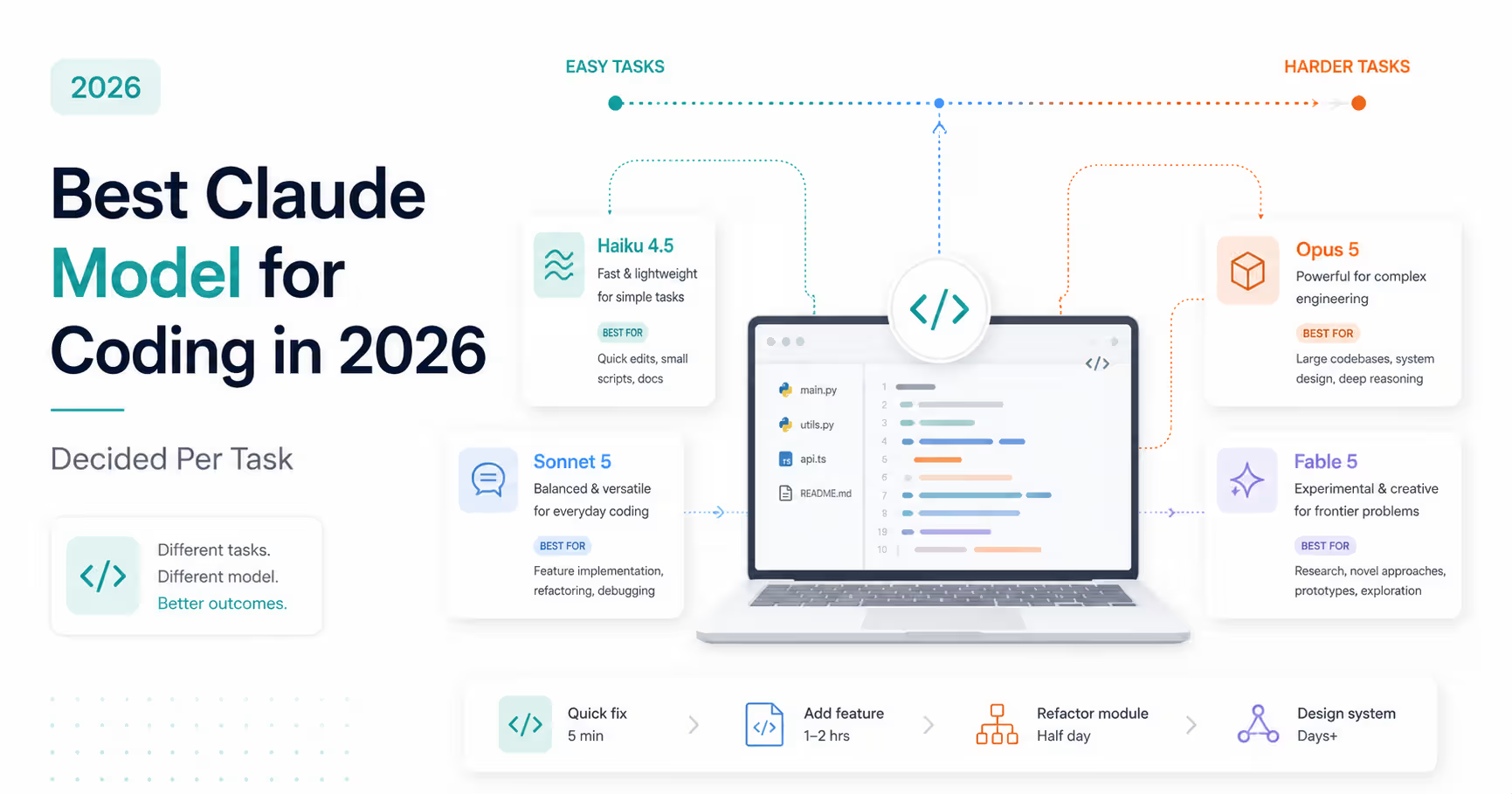
The Architect Mode is the underrated feature most users miss. Architect Mode uses a two-model workflow: a high-reasoning model (a flagship Opus-class model is the typical choice) plans the changes at high level, then a faster cheaper model (a current Sonnet, GPT, or even Qwen 3 Coder) implements the plan in actual code edits. This pattern lets you use the expensive frontier model only for the part where its reasoning genuinely matters — planning — and a cheaper model for the mechanical part where intelligence matters less.
The practical impact: heavy daily users (8+ hours of AI-assisted coding) stay within $60–$80/month using Aider Architect Mode, where the equivalent workload through Cursor Ultra would cost $200/month or through unmanaged frontier API access would cost $150–$250/month. This is the single largest cost-saving pattern available in 2026 for heavy AI coders.
The terminal-first interface trade-off: Aider has no graphical IDE. There's no chat-in-sidebar, no agent-style canvas, no visual diff review. You run a command, the agent works, you review the git diff. For developers who already live in the terminal — vim users, tmux users, anyone running a lot of CLI tools — this feels native. For developers who strongly prefer graphical interfaces, Cline is the right answer instead.
Best fit: developers who already live in the terminal, are comfortable with git workflows, and want maximum cost efficiency on heavy daily workloads. Aider is also an excellent secondary tool — many developers run Cline as their primary IDE and reach for Aider when they need cheap bulk work like 'add tests to all these files' or 'rename all instances of X to Y across the repo.'
- Free, open-source, Apache 2.0 — terminal-first AI pair programming.
- About 4.2x more token-efficient than Claude Code on identical tasks (six-month Morph benchmark, same backing model).
- Trade-off: roughly 7-point lower first-pass success rate (Aider ~71% vs Claude Code ~78% in that benchmark).
- Architect Mode: high-reasoning model plans, cheaper model implements — the single best cost-saving pattern in this category.
- Heavy daily users sustainable at $60–$80/month vs $200/month on Cursor Ultra.
3. Continue.dev — The JetBrains-Friendly Open-Source Choice
Continue.dev is the most flexible open-source AI coding extension, supporting both VS Code and the full JetBrains family — IntelliJ IDEA, PyCharm, WebStorm, GoLand, Rider, and others. Apache 2.0 licensed, BYO-API-key, free at the platform level.
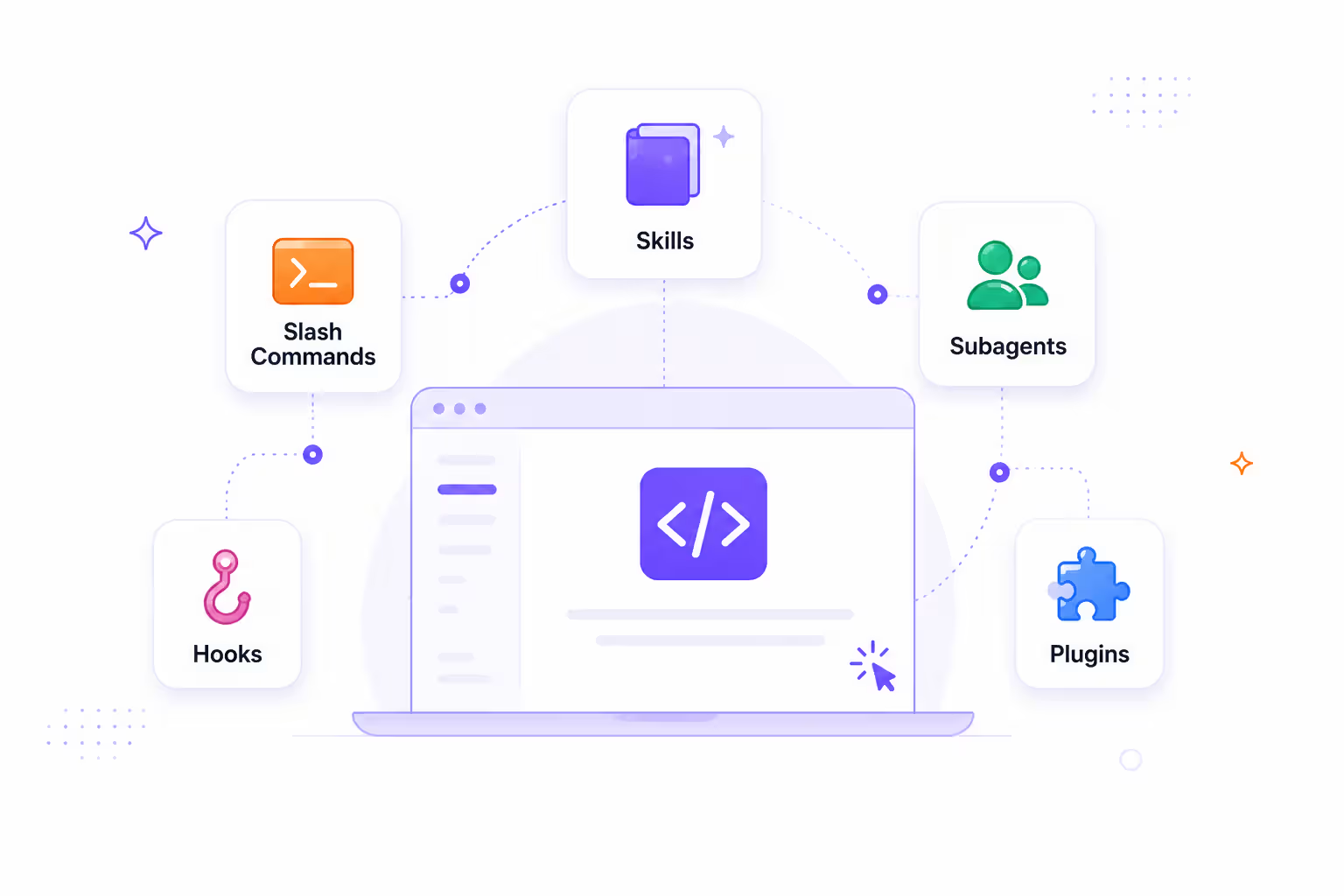
Why Continue.dev exists in addition to Cline: where Cline is laser-focused on agentic multi-file workflows in VS Code, Continue.dev emphasizes flexibility and team customization. You can build a custom AI assistant configuration — including custom prompts, context providers, slash commands, and model selection rules — that ships across an entire team via shared config files. For organizations standardizing AI coding workflows across multiple developers, this team-shareability is meaningfully different from Cline's individual-developer focus.
The JetBrains story: this is Continue.dev's defining advantage. Cline does not support JetBrains IDEs. If you're a Java developer in IntelliJ, a Python developer in PyCharm, or a Go developer in GoLand — and you don't want to switch to VS Code just to get an open-source AI coding agent — Continue.dev is essentially the only open-source option that meets you where you are.
For JetBrains-heavy organizations, Continue.dev avoids the editor-migration tax that Cline (VS Code only) and Cursor (VS Code fork only) both impose.
Configuration depth: Continue.dev's configuration is more powerful than Cline's but also more complex. You can define custom slash commands, build context providers that pull from internal documentation or APIs, configure routing rules for different model families, and ship the whole bundle as a config file in your repo. For platform engineering teams setting up AI tooling for entire engineering organizations, this is the right level of abstraction.
Where Continue.dev trails Cline: agentic capability. Cline's autonomous multi-file workflows are more polished and reliable than Continue.dev's equivalent features. For developers whose primary use case is 'tell the agent to do something complex and watch it execute,' Cline is the better fit. For developers whose primary use case is 'build a custom AI assistant configuration my whole team uses,' Continue.dev is the better fit.
The pragmatic team choice: many organizations end up with Continue.dev as the standardized team tool (JetBrains support, shareable config) and individual developers running Cline alongside for personal agentic workflows. This dual-tool setup is more common than most listicles suggest.
- Free, open-source, Apache 2.0 — extensions for VS Code and full JetBrains family.
- Only major open-source AI coding tool with first-class JetBrains support.
- Team-shareable configurations via repo config files — the right pick for platform engineering teams.
- Less polished agentic workflows than Cline — the trade-off for greater flexibility and IDE coverage.
4. Kilocode — The 400-Model Zero-Markup Power-User Pick
Kilocode is the open-source AI coding agent most listicles miss, and it deserves explicit coverage because its pricing model is genuinely different from anything else in this category.
What it is: Kilocode is a VS Code extension (with cross-IDE roadmap) that provides access to over 400 models — including frontier Claude, GPT, and Gemini models, plus DeepSeek, Qwen 3 Coder, Kimi K2, GLM, Mistral, and many others — at OpenRouter rates with zero markup. The 'zero markup' part is the key differentiator.
Why zero markup matters: most AI coding platforms (Cursor, Windsurf, Copilot) take a markup on top of the underlying model API costs. Cursor's credit system is the most extreme example — the credit pricing can significantly exceed direct API access for the same models. Kilocode passes through OpenRouter prices exactly. If a model costs $X/million tokens at OpenRouter, that's what you pay through Kilocode. The platform fee is zero.
For power users who want maximum model choice and the lowest possible token cost, this is the most transparent pricing model in the category.
The 400+ model catalog: this is Kilocode's structural advantage over Cline. While Cline supports ~30 providers natively, Kilocode brokers OpenRouter's full catalog — which includes free-tier models, every major frontier model, regional open-weight models (Qwen, DeepSeek, GLM, Kimi), and specialized fine-tuned variants. For developers who want to A/B test models across providers without managing several separate API accounts, Kilocode is the right abstraction layer.
OpenRouter's free tier: this is the underused power-user feature. OpenRouter rotates several capable models through a free tier on rate-limited terms. Through Kilocode, you get access to these free-tier models with zero ongoing cost — genuinely capable AI coding for $0/month if you're willing to work within rate limits.
The trade-off: Kilocode is younger than Cline and Continue.dev, and the agent capabilities are slightly less polished. For users whose primary goal is the most polished agentic experience, Cline is still ahead. For users whose primary goal is maximum model choice at lowest cost, Kilocode wins.
Best as a complement to Cline: many BYO-API-key users run both — Cline for primary agentic work with their preferred model, Kilocode for routine tasks where they want to use a free or ultra-cheap model. The setup is dual-tool but each tool is free, so the overhead is just configuration.
- 400+ model catalog through OpenRouter — broadest model choice in any open-source AI coding tool.
- Zero markup over OpenRouter rates — the most transparent pricing model in the category.
- OpenRouter free-tier models accessible — genuinely capable AI coding at $0/month with rate limits.
- Newer than Cline; agent capabilities less polished but rapidly improving.
5. Roo Code — Cline's Team-Workflow Fork
Roo Code is a community fork of Cline that extends the original with additional features around team workflows, multi-agent orchestration, and configuration management. It's the natural next step for teams that have outgrown individual Cline usage.
What's different from Cline: Roo Code adds features that matter for team coordination — shared mode profiles (where the agent's behavior is configured for specific roles like 'code reviewer,' 'test writer,' 'documentation generator'), more sophisticated multi-step orchestration where one agent can hand off to another with structured context, and team-shareable configuration bundles. The underlying agent architecture is recognizably Cline's, refined and extended.
When to choose Roo Code over Cline: when your team has standardized on Cline-style workflows and is starting to want more structure than individual Cline usage provides. Specifically: when you want different team members to use the agent for genuinely different purposes (some for refactoring, some for testing, some for docs) and want a single configuration that adapts to each role.
When to stay on Cline: for individual developers, the additional Roo Code features are overhead more than benefit. Cline is simpler, has a larger user community, and ships faster on agent capabilities. Most readers of this guide should start with Cline and consider Roo Code only when team coordination problems push them in that direction.
Pricing: same model as Cline. The extension itself is free, you pay only the underlying API provider. No platform fee, no markup.
- Cline fork with additional team-workflow features — shared mode profiles, multi-agent orchestration.
- Same free, BYO-API-key model as Cline.
- Right pick for teams that have standardized on Cline-style workflows but need more structure.
- Overkill for individual developers — start with Cline.
6. Void — The Fully Open-Source IDE (Not Just an Extension)
Void is structurally different from every other tool in this guide. Where Cline, Aider, Continue.dev, Kilocode, and Roo Code are extensions or terminal tools that wrap an existing editor, Void is itself a fork of VS Code positioned as a fully open-source Cursor clone — same fork-of-VS-Code architecture, similar agent UX, but Apache 2.0 licensed with no closed-source backend.
The architectural distinction matters for privacy: Cline runs as a VS Code extension and sends prompts to whichever provider you configure. The architecture trusts VS Code, the Cline maintainers, and the model provider. Void's design philosophy is to remove every middleman — every prompt travels directly from the editor to the model provider you configure, with no Void-operated server in between. This is what 'zero data retention' means in the Void context: the IDE itself doesn't have a backend that could log your queries.
For privacy-critical work — regulated codebases, government contracts, strict client NDAs — this architectural difference matters. Cline plus a major provider (Anthropic, OpenAI) is probably acceptable for most of this work. Void plus a self-hosted model is acceptable for almost all of it.
Where Void stands as of mid-2026: development pace slowed in late 2025 compared to Cline and Continue.dev. The project remains a useful reference architecture and a viable choice for developers who specifically want a fully open-source IDE rather than a closed-source one with an extension layer. But for most readers, Cline (more actively maintained, larger community) is the more practical choice.
When to pick Void: when 'fully open-source IDE' is itself the requirement, either for organizational policy reasons, philosophical preference, or specific privacy requirements that VS Code's closed-source telemetry would violate.
When to skip Void: when active maintenance and feature velocity matter to you. Cline ships faster, fixes issues faster, and has a larger community of users who can help when something breaks.
- Fully open-source VS Code fork — not just an extension layered on VS Code.
- Architecture has no Void-operated backend — prompts go directly to your chosen provider.
- 'Zero data retention' design philosophy makes it appealing for privacy-critical work.
- Development pace slowed in late 2025 — Cline is more actively maintained for most readers.
7. OpenCode — The Rising Open-Source Star
OpenCode is the newest entry in this list and the one I'd recommend evaluating specifically because of trajectory rather than current state. Through 2025–2026 OpenCode has gained significant traction on GitHub, with active maintenance, growing community, and a clear architectural philosophy that addresses gaps in the existing open-source ecosystem.
What it is: OpenCode is a terminal-based AI coding agent in the Aider lineage, with cleaner UX, better multi-model support out of the box, and (in current benchmarks) competitive accuracy with Aider while keeping comparable token efficiency.
Why it matters: most open-source AI coding tools either prioritize agentic polish (Cline) or token efficiency (Aider). OpenCode is positioning itself as the 'best of both' — modern agent capabilities that approach Cline's polish, with Aider-class token efficiency. Whether it actually achieves both is still being demonstrated as of mid-2026, but the trajectory is real and worth monitoring.
Best fit: developers who actively want to be on the leading edge of open-source AI coding tools, who're comfortable with newer software (more bugs, faster changes), and who want to influence the direction of an emerging tool. For more conservative users, Cline and Aider remain the safer picks today.
The honest evaluation note: OpenCode is the tool in this list I have the least production-time on. The other six I've run on real client work for weeks each. OpenCode I've run on side projects and small experiments. Treat my OpenCode coverage as 'this is worth watching and trying,' not as 'this is what I'd bet client work on today.' For that, stick with Cline or Aider as the proven options.
- Newer terminal-based AI coding agent in the Aider lineage.
- Positioning: agentic polish approaching Cline, token efficiency approaching Aider.
- Active 2025–2026 development with growing GitHub traction.
- Less production-tested than Cline or Aider as of mid-2026.
Open-Source Cursor Alternatives 2026 — Full Comparison Table
| tool | license | interface | byo api key | team pricing | agent quality | best for |
|---|---|---|---|---|---|---|
| Cline | Apache 2.0 | VS Code extension | Yes — 30+ providers + Ollama | First 10 seats free, then $20/seat/mo | ★★★★★ | Most cost-conscious developers; the default open-source pick |
| Aider | Apache 2.0 | Terminal CLI | Yes — major providers + OpenRouter | Free at any scale | ★★★★☆ | Heavy daily use with Architect Mode for token efficiency |
| Continue.dev | Apache 2.0 | VS Code + JetBrains extensions | Yes — major providers + custom | Free at any scale, shareable team configs | ★★★★☆ | JetBrains users and platform engineering teams |
| Kilocode | Open source | VS Code extension | Yes — 400+ models via OpenRouter | Free at any scale | ★★★★☆ | Power users wanting maximum model choice; OpenRouter free-tier model access |
| Roo Code | MIT (Cline fork) | VS Code extension | Yes — same as Cline | Free at any scale; team-workflow features | ★★★★☆ | Teams that outgrew individual Cline usage |
| Void | Apache 2.0 | Full VS Code fork (standalone IDE) | Yes — direct provider connection only | Free at any scale | ★★★☆☆ | Privacy-critical work needing fully open-source IDE |
| OpenCode | Open source | Terminal CLI | Yes — major providers | Free at any scale | ★★★☆☆ (rising) | Early adopters watching the next-generation open-source AI coding wave |
The Section Most Listicles Skip — Which Models to Actually Use With These Tools
The model matters more than the tool. A great open-source IDE wrapped around the wrong model produces worse output than Cursor with a frontier model. A great open-source IDE wrapped around the right model produces output indistinguishable from Cursor with the same model — at a fraction of the cost.
This is the section most open-source AI coding listicles skip, and the one BYO-API-key users actually need.
Because specific versions move every few weeks, the tiers below are organized by capability, with current examples in parentheses. Re-check the exact flagship before you rely on a version number.
Tier 1 — Frontier Quality (use for hard tasks)
- Anthropic's flagship Sonnet (currently Sonnet 4.6 as of writing): the safe default for most tasks. Strong on coding, reasoning, agentic workflows. Direct Anthropic API or via OpenRouter. - Anthropic's flagship Opus (currently Opus 4.8): strongest on complex reasoning and architectural planning. Use for hard tasks, not routine work. Excellent fit for Aider's Architect Mode planner role. - OpenAI's flagship Codex-class model (currently the GPT-5.x line): competitive on most coding tasks, ahead on some agentic patterns. - Google's flagship Gemini Pro: strong on greenfield coding and Google-stack work, with a generous free tier for individual developers via Google AI Studio.
Tier 2 — Cost-Effective Performance (use for routine work)
- Qwen 3 Coder (Alibaba): the model the existing Cursor-comparison ecosystem most underweights. It's genuinely competitive with a frontier Sonnet on many coding benchmarks, fully open-weight, and roughly 1/10th the price via OpenRouter. For Cline/Aider/Continue.dev users, this is often the best price-to-performance model available. The 32B variant is the sweet spot for local Ollama setups. - DeepSeek (current V3.x / R-series): runs at roughly 1/30th the price of a flagship Opus for many tasks and produces competitive output. The cost-killer model for BYO-API-key users. Available via OpenRouter, often in free-tier rotations. - Gemini Flash: Gemini Pro's cheaper sibling, very fast, very cheap, surprisingly capable for routine generation and refactoring. - GLM (Zhipu): quietly excellent for coding, available cheap via OpenRouter, ignored in most comparisons. Worth A/B testing against Qwen and DeepSeek for your specific workload.
Tier 3 — Long Context Specialists
- Kimi K2 (Moonshot): strong coding model with very long context handling, available zero-markup via OpenRouter. The right pick when you need to reason over very large files or many small files simultaneously.
Tier 4 — Local Models (zero ongoing cost)
- Qwen 3 Coder 32B: leading local coding model in 2026. Requires roughly 24GB VRAM in 4-bit quantization. Genuinely usable for real coding work on a high-end GPU. - DeepSeek Coder variants: another strong local option. Smaller variants run on more modest hardware (around 16GB VRAM). - Code Llama variants: still solid baselines for local use, less leading-edge than Qwen 3 Coder but more battle-tested.
The tiered configuration that actually works
The pattern most heavy BYO-API-key users settle on:
1. Routine flow (autocomplete, simple edits, file generation): a cheap fast model — DeepSeek or Qwen Coder via Cline/Kilocode. Cheap and fast. 2. Focused refactoring (multi-file work that needs reasoning): Qwen 3 Coder or a current DeepSeek model in Cline. Strong reasoning, low cost. 3. Architectural crises (the 5% of tasks that justify expensive reasoning): a flagship Opus-class model in Cline or Aider Architect Mode. Pay for intelligence only when you actually need it.
This tiering pattern is how heavy users stay at $20–$40/month total spend instead of the $200/month Cursor Ultra would charge for the same workload. The discipline is to actually use the cheap models for cheap work — not reflexively reaching for the flagship on every prompt.
- Tier 1 (frontier): flagship Sonnet/Opus, flagship GPT Codex-class, flagship Gemini Pro. Use for hard tasks. Version numbers are examples — re-check the current flagship.
- Tier 2 (cost-effective): Qwen 3 Coder, DeepSeek, Gemini Flash, GLM. Use for routine work — 1/10th to 1/30th the price of frontier.
- Tier 3 (long context): Kimi K2 for very large file reasoning.
- Tier 4 (local zero-cost): Qwen 3 Coder 32B, DeepSeek Coder variants, Code Llama on Ollama. Privacy-critical and air-gapped work.
- The tiering pattern: cheap model for routine work, frontier model only when reasoning genuinely matters. This is how heavy users stay at $20–$40/month total.
Local Models with Ollama — The Zero-Cost, Zero-Data-Leakage Setup
For privacy-critical work, regulated codebases, strict client NDAs, or simply zero ongoing cost, the only viable AI coding setup is local model execution. Cline, Aider, Continue.dev, and Void all support local models via Ollama or LM Studio — meaning the entire AI coding loop runs on your own hardware with no data leaving your machine.
The hardware reality: leading 2026 local coding models need real GPU memory. The strongest open coding model — Qwen 3 Coder 32B — needs roughly 24GB VRAM in 4-bit quantization. On consumer hardware that means an NVIDIA RTX 3090, RTX 4090, or RTX 5090 (or Apple Silicon with 32GB+ unified memory). DeepSeek Coder variants in smaller sizes run on more modest hardware (16GB VRAM, RTX 4080-class). Smaller models (7B-class) run on basically any modern laptop GPU but lag the frontier on hard coding tasks.
The upfront cost is real — a capable used RTX 3090 runs $700–$1,000 in 2026. Apple Silicon Macs with 32GB+ unified memory start around $2,000. For developers with this hardware already (gaming, 3D work, ML side projects), the marginal cost of running local AI coding is zero. For developers buying GPU specifically for this, the breakeven against $30–$60/month cloud API costs is roughly 12–24 months.
The performance reality: local models are slower than cloud APIs. A Qwen 3 Coder 32B response on an RTX 4090 might take 20–30 seconds for a complex code generation; the equivalent flagship Sonnet API call returns in 5–10 seconds. For routine inline-completion work this slowdown matters; for deeper agentic tasks it doesn't.
Local model output quality is also still meaningfully below a flagship Sonnet/Opus on hard coding tasks. The gap has narrowed dramatically through 2025–2026 — Qwen 3 Coder is genuinely competitive with a frontier Sonnet on many tasks — but for the hardest reasoning-heavy work, frontier cloud models still win. The realistic expectation: local Qwen 3 Coder handles ~80% of tasks at acceptable quality. For the remaining 20%, fall back to a cloud frontier model.
The hybrid setup that works: Cline configured with Ollama as the default provider (Qwen 3 Coder 32B for everything routine), with a flagship Sonnet via direct API as a fallback for hard tasks. Total ongoing cost: $5–$15/month in occasional API spend, with the privacy benefit of 80%+ of work happening locally.
For regulated codebases under strict NDAs — where no code can leave your machine — the setup is Cline configured with Ollama only, no cloud fallback. Quality drops on hard tasks but the privacy guarantee is absolute.
- Cline, Aider, Continue.dev, and Void all support local Ollama or LM Studio model execution.
- Hardware requirement: 24GB VRAM for the strongest models (Qwen 3 Coder 32B). 16GB VRAM for smaller capable models.
- Performance: 2–3x slower than cloud APIs, output quality 80%+ of a flagship Sonnet on most tasks.
- Hybrid setup (local default + cloud fallback) is the practical sweet spot for most BYO-API-key users.
- Pure local-only setup is the only configuration meeting strict NDA / air-gap requirements.
How to Switch From Cursor to Cline in About 15 Minutes
Pricing comparisons are easier to act on when you have the exact steps. Here is the fastest path from a Cursor subscription to a working open-source setup. (Mark this section up as HowTo schema for an extra rich-result surface — the JSON-LD HowTo object is already included in this file's meta.schema_jsonld graph.)
1. Install Cline. Open the VS Code Extensions marketplace, search 'Cline,' and install the extension. 2. Get an API key. Create an account with your chosen provider (Anthropic, OpenAI, or OpenRouter for unified billing) and generate an API key. 3. Paste the key into Cline. Open Cline's settings in VS Code and add the key under your provider. 4. Pick a default model. Start with your provider's current flagship Sonnet-class model for the best quality-to-cost balance. 5. Run a real task. Point Cline at your next side project and give it a multi-file task. You'll know within an afternoon whether you still need Cursor.
Total setup time: about 15 minutes. Total cost: $5–$15/month for moderate use.
- Install Cline from the VS Code marketplace.
- Generate an API key from Anthropic, OpenAI, or OpenRouter.
- Paste the key into Cline's settings and pick a current flagship Sonnet-class model.
- Run a real multi-file task on a side project to evaluate within an afternoon.
The ~$15/Month Setup I Actually Use for Client Work
Pricing comparisons are easier to evaluate when you can see a real working configuration. Here's the exact setup I run for production client work, with real monthly costs.
Primary tool: Cline (free) - VS Code extension installed from marketplace - Configured with Anthropic API key for primary work - Configured with OpenRouter API key for cheap-tier and fallback models - MCP integration enabled for connecting to my n8n workflows
Models used: - Anthropic's current Sonnet via direct API: primary model for client refactor work, complex reasoning, architectural decisions. Real monthly spend: $8–$12/month at moderate use. - Anthropic's flagship Opus via direct API: occasional use for the hardest tasks (3–4 times per month typically). Real monthly spend: $1–$3/month. - A current DeepSeek model via OpenRouter: routine generation work, file scaffolding, test generation. Real monthly spend: $0.50–$2/month. - Qwen 3 Coder 32B via local Ollama: privacy-sensitive work, when API calls would expose client code I shouldn't share. Real monthly spend: $0 (electricity excluded).
Secondary tool: Aider with Architect Mode (free, Apache 2.0) - Used for bulk operations: 'add tests to all uncovered code paths,' 'rename X across the repo,' large mechanical refactors - Architect Mode: flagship Opus plans, current Sonnet implements - Real monthly spend on Aider workloads: $2–$5/month included in Anthropic API costs above
Total monthly cost for production AI coding on real client work: roughly $12–$22.
Compare to Cursor Pro+ at $60/month for similar capability. Compare to Cursor Ultra at $200/month if I were to graduate to the heaviest tier. The setup pays back its 30-minute-per-week configuration overhead within the first week of any month.
The single most important configuration discipline: actually use the cheap models for cheap work. The temptation when the frontier is right there is to reflexively reach for the flagship Opus on every prompt. Don't. Most prompts are routine generation that a current DeepSeek or Qwen 3 Coder handles fine at 1/30th the cost. Save the expensive reasoning for the prompts that actually need it.
This is the discipline that turns a $50–$80/month BYO-API-key setup into a $15–$25/month one. The tools are free; the savings come from model selection.
- Real production setup: Cline + Aider + tiered model selection across a flagship Sonnet, flagship Opus, DeepSeek, and Qwen local.
- Real total cost: $12–$22/month for production client work — replaces $60–$200/month Cursor.
- Discipline matters: use cheap models for cheap work. Most prompts don't need frontier reasoning.
- The configuration overhead pays back in the first week — 30 minutes of setup vs $40–$180/month savings.
Honorable Mentions — Other Open-Source AI Coding Tools Worth Knowing
Several other open-source tools didn't make the main seven but deserve mention for specific use cases.
Codebuff. Terminal-based agent in the Aider lineage with strong 2026 benchmark performance. Smaller community than Aider but technically competitive. Worth evaluating if Aider's UX doesn't fit your preferences.
Pieces for Developers. Local-first AI assistant with strong context management — captures snippets, code patterns, and project context locally for AI-assisted retrieval. Different category from Cline/Aider (more 'AI knowledge management' than 'AI coding agent'), but pairs well alongside the main tools.
Tabby. Self-hosted AI coding assistant designed for organizations that want a Cline/Continue.dev-style experience with their own infrastructure. The right answer for enterprises requiring on-premises AI coding with no cloud dependencies. More setup overhead than the main seven but the only option for some organizational policy contexts.
FauxPilot. Self-hosted GitHub Copilot alternative — runs entirely on your infrastructure. Older project, less actively maintained than Tabby but still functional for specific use cases.
Twinny. VS Code extension focused on local Ollama integration with simpler setup than Cline. Right pick for developers who specifically want the local-only path without Cline's broader provider configuration surface.
Tabnine (open-source community edition). Tabnine's commercial offering is covered in the mainstream alternatives guide. The community edition is open-source and self-hostable, fitting alongside Tabby for on-premises requirements.
For mainstream paid alternatives — Cursor, Windsurf, Claude Code, GitHub Copilot, Antigravity, Trae, Kiro, OpenAI Codex — see the companion guide on cheaper Cursor IDE alternatives.
- Codebuff — terminal agent in Aider lineage with strong 2026 benchmarks.
- Pieces for Developers — local-first AI knowledge management; pairs with main coding tools.
- Tabby — self-hosted AI coding for organizations needing on-premises infrastructure.
- FauxPilot — self-hosted GitHub Copilot alternative; older but functional.
- Twinny — simpler VS Code extension for local Ollama integration.
- For mainstream paid alternatives, see the companion Cursor IDE alternatives guide.
My Actual Recommendation — The Open-Source Cursor Alternative to Try First
The decision tree I follow when developers ask 'how do I actually get off Cursor cheaply?'
Most readers: Install Cline from the VS Code marketplace, configure it with an Anthropic API key, start with the current flagship Sonnet as the default. Total setup: 15 minutes. Total cost: $5–$15/month for moderate client work, $20–$40/month for heavy use. Replaces Cursor Pro+ at $60/month or Ultra at $200/month with no quality loss.
JetBrains user: Install Continue.dev for IntelliJ/PyCharm/WebStorm/GoLand. Same BYO-API-key model, JetBrains-native instead of VS Code-only.
Heavy daily user (8+ hours of AI coding): Add Aider with Architect Mode alongside Cline. Use Aider for bulk mechanical work and repo-wide changes; use Cline for interactive agentic work. Total spend stays under $80/month even at heaviest use.
Cost-constrained or experimenting: Install Cline, configure it with an OpenRouter API key, use OpenRouter's free-tier models (DeepSeek, Qwen 3 Coder rotations) for routine work. Real client work for $0–$5/month with rate-limit constraints.
Privacy-critical or air-gapped requirement: Install Cline + Ollama, configure Qwen 3 Coder 32B as the local model, no cloud fallback. Hardware investment required (24GB VRAM GPU) but ongoing cost is zero and no data leaves your machine.
Building a startup team: Cline Teams. First 10 seats permanently free, then $20/seat. Onboard your engineering team at $0/seat up to 10 people, reassess if you grow past that.
Power user wanting maximum model choice: Add Kilocode alongside Cline. Use Kilocode for A/B testing across the 400+ model catalog and accessing OpenRouter free-tier models. Use Cline as your primary daily-driver agent.
The single change with the highest impact: install Cline today, configure your existing Anthropic or OpenAI API key, and run your next side project through it. You'll know within an afternoon whether you still need Cursor. For most readers of this guide, the answer is no — and the savings start immediately.
The mistake most BYO-API-key users make: reflexively reaching for the most expensive model on every prompt. Discipline yourself to use cheap models for cheap work. A current DeepSeek model and Qwen 3 Coder are genuinely competitive with a flagship Sonnet for most coding tasks at 1/30th the cost. The savings come from model selection, not just tool selection.
- Default for most readers: Cline + current flagship Sonnet via direct Anthropic API. 15 minutes to set up, $5–$15/month moderate use.
- JetBrains user: Continue.dev for first-class JetBrains support.
- Heavy daily user: add Aider with Architect Mode for bulk work and token efficiency.
- Cost-constrained: Cline + OpenRouter free-tier models (DeepSeek, Qwen rotations). Real work for $0–$5/month.
- Privacy-critical: Cline + Ollama running Qwen 3 Coder 32B. Zero data leaves your machine.
- Startup team: Cline Teams (first 10 seats free permanently, then $20/seat).
- Power user: add Kilocode alongside Cline for 400+ model A/B testing.
Frequently Asked Questions
Strategic Summary
Final Thoughts
The open-source Cursor alternative ecosystem in 2026 is more mature than most listicles acknowledge. Cline, Aider, Continue.dev, Kilocode, Roo Code, Void, and OpenCode are not 'good enough for hobbyists' — they're production-grade tools used by millions of developers running real client work. The setup overhead is real but not enormous. The cost savings against Cursor Pro+ at $60/month or Cursor Ultra at $200/month are dramatic. The output quality, when paired with the right model, is indistinguishable from any paid Cursor subscription. The insight that took me too long to internalize: the platform fee pays for the wrapper, not the intelligence. The intelligence is the model. If you can put a different wrapper around the same Claude or GPT or Gemini, you keep the intelligence and skip the fee. That's the entire structural reason this category exists. My actual recommendation, after six months of running production client work on this stack: install Cline this week, configure it with your existing Anthropic API key, and run your next side project through it. The total setup is 15 minutes. The cost is $5–$15/month for moderate use. The output is the same frontier model you'd get through Cursor Pro+ at $60/month. If the side project goes well, migrate one client project. If that goes well, cancel your Cursor subscription. The whole transition typically takes two to four weeks for a developer who's invested in Cursor; the savings start immediately and compound over time. For the discipline that actually matters: use cheap models for cheap work. The savings come from model selection as much as tool selection. A current DeepSeek model and Qwen 3 Coder are genuinely competitive with a flagship Sonnet for most coding tasks at 1/30th the cost. Save the frontier models for the prompts that actually need frontier reasoning. (Pricing and benchmarks in this guide were verified June 2026. Specific model versions are examples current as of writing — re-check the current flagship before relying on a version number.) --- This is part two of a two-part Cursor IDE alternatives series. For the mainstream paid-and-freemium IDE alternatives — Windsurf, Claude Code, GitHub Copilot, Antigravity, Trae, Kiro, and Codex — see the companion guide on 7 cheaper Cursor IDE alternatives. Read that one first if you're choosing between paid options. If you're building fully private AI coding workflows with local models, the open-source AI personal assistant guide covers the Ollama setup that pairs natively with Cline for the most privacy-respecting AI coding configuration in this list. To wire your AI coding tools into a broader automation stack — so deployment events trigger Slack alerts, code review results flow to your CRM, and meeting summaries populate your project tracker — my comparison of n8n vs Make vs Zapier for developers in 2026 covers the automation platforms that pair best with each AI coding tool via MCP integrations. The MCP install milestone analysis covers why this protocol matters for the open-source coding tools specifically. For the broader AI productivity stack, the 10 best AI productivity tools for 2026 covers how AI IDEs fit alongside meeting summarizers, AI writing tools, and developer workflow automation. The best AI tools for developers in 2026 guide is the natural starting point for an overview of the broader landscape. --- *Reviewed by: Sumit Patel, Frontend Developer & Technical Writer, StackNova HQ. Production setup verified June 2026 on real client work. Token-efficiency figures attributed to a published Morph benchmark; pricing verified June 2026 against each provider's published rates. No affiliate relationships with any tool reviewed. Full disclosure policy.*
Install Cline from the VS Code marketplace today, configure it with your existing Anthropic or OpenAI API key, and run your next side project through it. Total setup time: 15 minutes. Total cost: $5–$15/month for moderate use. The decision whether to keep paying for Cursor will make itself within an afternoon of real use.
Building production systems with open-source AI coding tools — Cline, Aider, local models, BYO-API-key configurations — for client work? This is exactly the kind of setup I help freelance clients build. Work With Me → stacknovahq.com/work-with-me
Next Up
Continue your research
7 cheaper Cursor IDE alternatives
open-source AI personal assistant guide
n8n vs Make vs Zapier for developers in 2026
MCP install milestone analysis
best AI tools for developers in 2026
AI debugging and clean code workflows 2026
10 best AI productivity tools for 2026
11 best AI tools for small business in 2026
Sources & Research
Cline — Open Source VS Code Agent (GitHub)
https://github.com/cline/cline
Cline Pricing 2026 (CheckThat.ai) — Teams $20/seat, first 10 seats free
https://checkthat.ai/brands/cline/pricing
Cursor Teams Pricing Update (June 2026)
https://cursor.com/blog/teams-pricing-june-2026
Aider vs Claude Code — 4.2x Token Efficiency Benchmark (Morph)
https://www.morphllm.com/comparisons/morph-vs-aider-diff
Aider — AI Pair Programming in Your Terminal
https://aider.chat/
Continue.dev
https://www.continue.dev/
Kilocode
https://kilocode.ai/
Roo Code
https://github.com/RooCodeInc/Roo-Code
Void Editor
https://voideditor.com/
Ollama — Local Model Runtime
https://ollama.com/
OpenRouter — Unified Model API
https://openrouter.ai/
DeepSeek Models
https://www.deepseek.com/
Qwen — Alibaba Open Models
https://qwenlm.github.io/