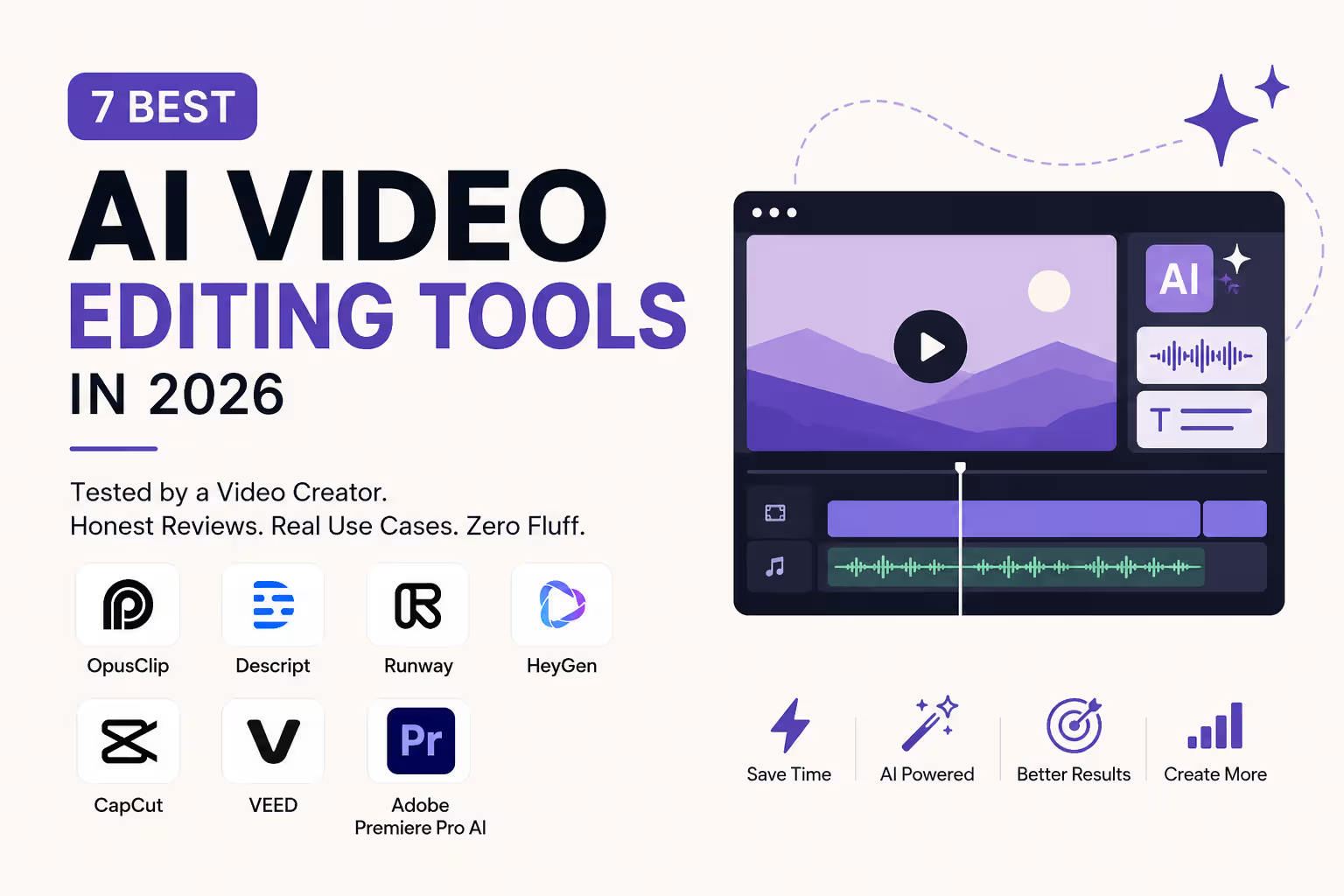
7 Best AI Video Editing Tools in 2026 (Tested by a Video Creator)

Written by
Sumit Patel
Published
May 27, 2026
Reading Level
Advanced Strategy
Investment
15 min read
Which AI video tool should you use?
- 1Clipping podcasts/webinars into shorts → OpusClip
- 2Text-based editing of talking-head videos → Descript
- 3AI-generated cinematic footage → Runway Gen-4.5
- 4Avatar videos without a camera → HeyGen
- 5Free all-around editing → CapCut
- 6Fast captions + resizing → VEED
- 7Professional editing with AI assists → Adobe Premiere Pro
- 8Budget: CapCut (free) → VEED ($0–$18/mo) → OpusClip ($15/mo) → Descript ($12/mo) → HeyGen ($24/mo) → Runway ($15/mo) → Premiere Pro ($22.99/mo)
What I Actually Use and Why I Wrote This
I've been editing video since before I started writing code — Demon Slayer AMVs on YouTube, client demo videos for agency projects, short-form content for social. I use After Effects and Premiere Pro as my base stack. When AI tools started getting serious, I tested them on real work — not review accounts, not demo footage provided by the companies. Most 'best AI video tools' articles in 2026 are recycled listicles where the author hasn't opened half the tools they're ranking. This one isn't. The verdicts here are based on actual use — what held up on client work, what broke on weird edge cases, and what I'd actually recommend to a creator friend deciding where to spend money. I have no affiliate relationships with any tool in this list. Where I mention pricing, I'm going off the tool's public pricing page at the time of writing — these change, so verify before subscribing.
In 2026, 'AI video editing' means five different things depending on who you ask. For some creators it means OpusClip turning a one-hour podcast into ten viral clips automatically. For others it means Runway generating B-roll from a text prompt. For others still it means Adobe Premiere cutting out the grunt work while leaving all the creative decisions to you. These are not the same category of tool, and the reason most 'best AI video tool' lists fail is because they rank them as if they are. I've tested all seven tools in this list on real projects. The verdicts are specific: what each tool is genuinely best for, where it falls short, and who should actually pay for it. If you're looking for the tool that does everything — it doesn't exist. But if you know what you're making, one of these seven fits your workflow cleanly.
Key Takeaways
8 PointsHow I Categorized These Tools
Before the list, a framework that saves time. AI video tools in 2026 fall into four categories — and knowing which category you need is the most important decision:
AI Clippers take existing long-form video and automatically cut it into shorter, platform-ready clips. OpusClip is the leader here.
AI Editors let you edit video through text — transcription-based editing, removing filler words, fixing dialogue. Descript is the benchmark.
AI Generators create new footage from text prompts, images, or scripts. Runway is the quality leader. HeyGen handles avatar-driven generation specifically.
AI-Enhanced Traditional Editors are tools like Adobe Premiere Pro and CapCut where AI features are layered onto a conventional editing workflow.
Most creators need one tool from this list, not all of them. Pick your category first.
1. OpusClip — Best for Clipping Long-Form Video Into Shorts
What it does: OpusClip takes a long video — podcast, webinar, YouTube video, recorded meeting — and uses AI to identify the most engaging segments, clip them automatically, reformat for vertical, add captions, and even score each clip with an AI Virality Score that predicts short-form performance.
What works: The core workflow is genuinely reliable. Upload a 60-minute recording, get 8–12 ready-to-post clips in about 15 minutes. The Virality Score isn't perfect but it's a useful filter — clips it scores above 80 consistently outperform the ones it scores under 50. Auto-captions are among the most accurate I've tested, and the reframing for vertical is good enough that you'll rarely need to manually adjust it.
What doesn't: Output still needs a final human review pass. The AI occasionally clips mid-thought or misses context that makes a clip confusing out of sequence. Batch workflows require the higher plan. Credit consumption can surprise you if you're running high volumes.
Pricing: Free plan (limited clips, watermarked). Starter at ~$15/month for 150 minutes/month. Pro at ~$29/month for 360 minutes plus team features.
Honest verdict: If you're sitting on hours of long-form content and not repurposing it into shorts, OpusClip pays for itself in the first week. If you're primarily a short-form-first creator with no long content to clip from, it's not for you.
2. Descript — Best for Text-Based Video Editing
What it does: Descript transcribes your video and lets you edit the video by editing the text — delete a word from the transcript, the video cut is made automatically. It also handles filler word removal, Studio Sound (AI audio cleanup), screen recording, and a basic timeline editor.
What works: The transcript-based editing is legitimately a workflow shift for dialogue-heavy content. Interview videos, talking-head YouTube content, and podcast recording sessions that also capture video are where Descript shines. The Studio Sound feature — which removes room noise, pops, and inconsistent mic levels — is one of the most useful AI audio tools I've come across, period. Filler word removal works well enough that I'd estimate it saves 20–30 minutes per 60-minute interview edit.
What doesn't: Descript is not a general-purpose editor. If your content is heavily visual — music videos, event coverage, anything with b-roll as the primary storytelling device — it doesn't fit this workflow. The timeline editor is functional but limited. Credit system for AI features can feel restrictive on the Starter plan.
Pricing: Free plan (limited transcription). Hobbyist at $12/month for 10 hours of transcription. Creator at $24/month. Business at $40/user/month.
Honest verdict: For podcasters, educators, and developers recording tutorial content, Descript removes more editing friction than any other tool on this list. For visual creators or b-roll-heavy work, skip it.
3. Runway Gen-4.5 — Best for AI-Generated Cinematic Footage
What it does: Runway is the leading text-to-video and image-to-video platform for professional-grade generative content. Gen-4.5 produces cinematic-quality footage from text prompts or reference images — usable for B-roll, concept visualization, stylized sequences, and ad creative.
What works: The quality gap between Runway and its nearest competitors closed significantly between Gen-3 and Gen-4.5. Motion is more coherent, lighting holds up better across frames, and the consistency of style across a generation sequence is genuinely production-usable for short-form and social content. For a developer or marketer who needs cinematic B-roll without a camera crew, this is the most direct route.
What doesn't: Credit consumption is the constant pain point. Runway runs on a credit system, and complex or long generations burn through a monthly plan faster than most users expect. The free plan gives you 125 credits — that's about 5–8 short generations. The tool also isn't a full editing suite; you'll need to bring generated clips into Premiere Pro, DaVinci, or CapCut to finish a real video.
Pricing: Free (125 credits one-time). Standard at $15/month for 625 credits. Pro at $35/month for 2,250 credits. Unlimited at $95/month.
Honest verdict: Runway earns its place for video creators who need AI-generated footage for visual storytelling, ad production, or creative experimentation. If your need is editing existing footage, it's the wrong tool.
4. HeyGen — Best for Avatar-Based Videos Without a Camera
What it does: HeyGen lets you create talking-head videos using AI avatars — either from their library or a custom avatar built from your own footage (as little as 2 minutes). You type a script, choose a voice, and the avatar delivers it with realistic lip-sync and natural body movement. The platform also translates videos into 40+ languages with voice cloning.
What works: The Avatar IV technology in 2026 is a genuine step forward. Marketing teams and internal training departments are using HeyGen for product demos, onboarding videos, and customer outreach at a scale that would require significant production budget otherwise. The translation feature — record in English, export in Spanish, Hindi, Japanese with your cloned voice — is specifically the feature I've seen clients get most value from. For faceless content creators who want a consistent on-screen presence without being on camera, it removes a real barrier.
What doesn't: For some audiences, AI avatars still register as slightly uncanny — this varies significantly by viewer. The tool has no real video editing capability; it's purely a generation platform. You still need a separate editor for post-production. And the credit system on lower plans limits monthly output.
Pricing: Free (1 video up to 1 minute). Creator at $24/month. Team at $69/month.
Honest verdict: If you're building a content or training workflow that needs consistent, professional talking-head videos at volume without putting someone on camera every time, HeyGen is the most capable platform for it in 2026.
5. CapCut — Best Free All-Around AI Editor
What it does: CapCut is the most feature-complete free video editor with AI built in. AI auto-captions, background removal, AI video generation (on Pro), auto-beat sync, text-to-video, script-to-video, style transfer, and a genuinely usable timeline editor — all in a mobile and desktop app.
What works: For the price (free), the gap between CapCut and paid competitors is surprisingly small for social-first content. Auto-captions are accurate enough for most content without significant correction. The mobile app workflow is among the best for anyone editing on phone. For creators who are just starting out or who don't need professional-grade output, CapCut handles a complete workflow — shoot, edit, caption, export — in one tool.
What doesn't: The free tier doesn't include commercial use rights, which matters for brand or client work. The AI generation on free is limited. For professional or client-facing output, the aesthetic ceiling is real — CapCut content often has a recognizable look that experienced eyes notice. And if you're already using Premiere Pro or DaVinci, CapCut's timeline won't feel comfortable.
Pricing: Free (with commercial use limitations). Pro at $7.99/month.
Honest verdict: The best starting point for any creator who doesn't yet have a video editing workflow. If you're already professional, it won't replace your existing stack — but it might live alongside it for quick social cuts.
6. VEED — Best for Fast Captions, Resizing, and Multi-Platform Export
What it does: VEED is a browser-based editor with strong AI features specifically around captions, subtitles, translation, aspect ratio conversion, and quick content repurposing. It also has a basic AI script-to-video feature and screen recorder.
What works: VEED's auto-subtitle accuracy is among the best in the market and its caption styling is far more customizable than most tools. If your primary need is accurate captions + resizing a video for multiple platforms (16:9 YouTube → 9:16 Reels → 1:1 LinkedIn), VEED does this faster than anything else on this list. The browser-based nature means no software installation and consistent access across devices.
What doesn't: VEED is not a real editor for complex work. The timeline is functional for simple cuts and caption work, not for narrative video editing. The AI video generation features are basic compared to Runway or even CapCut. At $18/month for the Pro plan, you're paying specifically for the captioning and repurposing workflow — make sure that's actually what you need before subscribing.
Pricing: Free (limited exports, watermarked). Basic at $18/month. Pro at $30/month.
Honest verdict: Best in class for the specific task of professional captioning and multi-platform resizing. If your bottleneck is caption accuracy and format conversion, VEED is worth it. If you need a full editor, look elsewhere.
7. Adobe Premiere Pro (AI Features) — Best for Professional Editors Who Want AI Assists
What it does: Adobe Premiere Pro in 2026 has significant AI built into a professional non-linear editing suite — Generative Extend (AI fills short clip gaps), Speech to Text, Auto Reframe, Content-Aware Fill, Remix (AI audio recomposition to fit any duration), and Firefly Video integration for generating B-roll without leaving the timeline.
What works: The philosophy here is correct for professional editors: AI removes the grunt work without taking away creative control. Generative Extend is genuinely useful — in my experience, it handles the 'this shot is a half-second too short for the transition' problem reliably. Speech to Text in Premiere has gotten accurate enough to use as a first-pass captioning tool. Auto Reframe for repurposing long-form content to vertical is solid. And because it lives inside Premiere, everything integrates into a professional post-production workflow without extra export steps.
What doesn't: Premiere is not cheap ($22.99/month or $59.99/month for all Creative Cloud apps). It has the steepest learning curve on this list. If you're not already comfortable with NLE editing, learning Premiere to access its AI features is not the right path — use CapCut or VEED instead.
Pricing: Single App at $22.99/month. Creative Cloud All Apps at $59.99/month.
Honest verdict: If you're already a Premiere user, the 2026 AI features are worth using — they make a real dent in repetitive editing tasks. If you're starting from scratch specifically for AI video editing, start with a simpler tool and graduate here when the workflow demands it.
Side-by-Side Comparison
| tool | best for | free tier | starting price | ai generation | platforms | learning curve |
|---|---|---|---|---|---|---|
| OpusClip | Clipping long-form to shorts | Yes (watermarked) | $15/mo | No | Web | Low |
| Descript | Dialogue/talking-head editing | Yes (limited) | $12/mo | No | Mac, Win, Web | Low-Medium |
| Runway Gen-4.5 | Generative cinematic footage | Yes (125 credits) | $15/mo | Yes | Web | Medium |
| HeyGen | Avatar videos, translation | Yes (1 min) | $24/mo | Yes (avatar) | Web | Low |
| CapCut | Free all-around social editing | Yes | $7.99/mo | Basic | iOS, Android, Web, Desktop | Very Low |
| VEED | Captions + multi-platform resize | Yes (watermarked) | $18/mo | Basic | Web | Low |
| Adobe Premiere Pro | Pro editing with AI assists | No | $22.99/mo | Yes (Firefly) | Mac, Windows | High |
Frequently Asked Questions
Strategic Summary
Final Thoughts
Most creators in 2026 need one tool, not seven. The decision tree is simple: if you have long-form content to repurpose, start with OpusClip. If you make talking-head or tutorial videos, try Descript. If you're producing avatar content or translated video at scale, HeyGen is the tool. If budget is the constraint, CapCut handles more than you'd expect for free. The tools that disappoint creators most are the ones they chose because of the demo reel, not because they matched the actual workflow. Pick based on what you're making, not what looks impressive in a product video. If you're building a video content strategy for a product, agency, or personal brand and want a second opinion on which stack makes sense for your specific situation, reach out via the contact form or through Upwork and Contra — I respond within 24 hours. --- This is part of a broader hub on AI tools for creators at StackNova. Related reading: best free AI writing tools in 2026 for the content that goes with your videos, and how to build a local AI personal assistant if you're looking to keep your creative workflow private and off-subscription. *Reviewed by Sumit Patel, Frontend Developer & Technical Writer, StackNova HQ. Tool pricing and features verified May 2026. No affiliate relationships with any tool reviewed.*
Test the free tier of OpusClip or Descript before committing to a subscription — both give you enough to know whether the workflow fits within 30 minutes of real use.
Building a video content strategy for a product, brand, or agency and want an honest second opinion on which AI tool stack makes sense? Reach me via Upwork, Contra, or the contact form at stacknovahq.com/contact. I respond within 24 hours.
Next up
Continue your research
best free AI writing tools in 2026
how to build a local AI personal assistant
10 AI productivity tools that changed how I work
AI meeting summarizer tools compared
Sources & Research
OpusClip — AI Video Clipping Tool
https://www.opus.pro/
Descript — Text-Based Video Editor
https://www.descript.com/
Runway — AI Creative Tools
https://runwayml.com/
HeyGen — AI Video Generation Platform
https://www.heygen.com/
CapCut — Free AI Video Editor
https://www.capcut.com/
VEED — Online Video Editor
https://www.veed.io/
Adobe Premiere Pro — Professional Video Editing
https://www.adobe.com/products/premiere.html
Zapier — Best AI Video Generators 2026
https://zapier.com/blog/best-ai-video-generator/