AI Tools for Small Business 2026: 6-Month Verdict

Written by
Sumit Patel
Published
April 24, 2026
Updated
April 30, 2026
Reading Level
Advanced Strategy
Investment
17 min read
The Brief
AI tools for small business in 2026, tested for real: 20+ tools across accounting, client calls, and design — what survived 6 months, and what got cancelled.
Who this is actually written for.
I am a frontend developer. I also run a small web development agency, Zethius, with a backend engineer and a growing client roster. I manage client communication, project scoping, invoicing, content for StackNova, and my own freelance pipeline — all alongside my main job. This is the list of AI tools I evaluated for that specific situation: a small team doing real client work, not a 50-person company with a dedicated operations person. If you are in a similar position — solo, freelancer, or a small team wearing multiple hats — this list is for you. If you are an enterprise ops manager looking for an AI vendor, this is not that article. Scope note: this is about the tools I use to run the business — accounting, client communication, marketing, design, scheduling. For the AI tools my team uses to actually write and ship code (ChatGPT, Claude for production review, v0.dev, Lovable, DeepSeek), that is a completely separate article, linked at the end. If you specifically want coding tools, skip straight to that one.
Honest starting point: I am not a small business consultant. I am a developer who also runs a small agency, manages a blog, and handles client work across multiple platforms. I do not have research into other businesses — what I have is six months of trying tools in my own operation and watching what stuck and what got cancelled. Quick clarification before the list, because I have two articles that sound similar: this one is not about coding tools. This is about everything else — the admin, money, marketing, design, and client-management side of running a small shop. If you came here for AI coding assistants, I wrote about those separately (linked at the bottom). This article is the business-operations side. I evaluated roughly 20+ tools across writing, accounting, scheduling, client communication, design, and project management. The ones that made this list are ones I still pay for or use regularly as of mid-2026. The ones that did not make it got cancelled — sometimes after a week, sometimes after 60 days — and I will tell you why. The through-line I kept coming back to: the best AI tools for small business are not the ones with the most features. They are the ones you actually use consistently, because they slot into your existing workflow without requiring you to change how you work to accommodate the tool.
Key Takeaways
6 PointsStart Here Before Buying Anything: One General AI Assistant
This is the advice I would give anyone starting from zero, and it is the advice most AI tool content skips because it does not produce affiliate revenue: before you buy anything else, master one general-purpose AI assistant and use it for 30 days across every text-based task you do.
For me that is Claude Pro. For my backend colleague Krishna it is also Claude for technical work, with ChatGPT as a secondary tool for speed. Either one costs $20/month and covers an enormous range of daily business tasks.
Here is what I personally use Claude for on a regular basis: drafting client project scoping emails, summarizing long vendor contracts before signing, writing StackNova blog outlines, cleaning up messy CSV exports from clients, writing cold outreach for new freelance prospects, and creating first drafts of social posts. That is easily eight different task categories from one $20/month subscription.
The point is not that Claude is magic — it is that most small business owners and freelancers dramatically underuse the general assistant they already have before reaching for specialized tools. I was guilty of this. The answer is usually not a new tool. It is using the tool you have more deliberately.
The one clear distinction I have noticed between Claude and ChatGPT for my use case: Claude is more useful when I need sustained logical coherence across a long piece of writing or a complex client proposal. ChatGPT is faster for quick tasks and has better image generation if that matters to you. If you write a lot and care about the quality of longer output, lean toward Claude. If speed and a broader plugin ecosystem matter more, lean toward ChatGPT. Both are a better investment at $20/month than most specialized tools at $29-79/month.
- Pick one: Claude Pro or ChatGPT Plus at $20/month. Run it as your primary tool for 30 days before evaluating anything else.
- Use it broadly: drafts, summaries, client emails, contract review, spreadsheet cleanup, cold outreach. The breadth of use is where the ROI lives.
- Build a personal prompt library: 15-20 reusable prompts for your recurring tasks. A client scoping email template. A proposal structure. This compounds over time.
- Paid tier only: free tiers have data retention implications and rate limits that make daily business use impractical.
- Add specialized tools only after genuinely running into the limits of the general assistant. Most people hit those limits much later than they expect.
AI for Design: Canva Pro Is Doing More Work Than I Expected
I resisted Canva Pro for a long time because I have some design capability and the brand has a reputation for generic-looking output. I was wrong to resist it.
The AI features in the 2025-2026 version of Canva Pro are meaningfully better than what they were 18 months ago. Magic Design generates layout options that are actually decent starting points rather than obviously templated. Magic Write handles short-form copy generation inside the design canvas. Magic Resize converts a finished design into multiple format variations automatically, which for social media posting across platforms is a real time-saver.
What Canva Pro replaced for me specifically: I was spending 2-3 hours per week on StackNova blog graphics, social media images, and occasional client-facing documents. That time is now roughly 40 minutes because I start from Canva's AI-generated layout and adjust rather than building from scratch. At $15/month, that math is obvious.
Where it still falls short: anything requiring custom brand identity work, complex illustrations, or design that needs to look like a professional designer touched it. For StackNova's blog banners and social posts, Canva Pro is fine. For a client's brand launch — that still needs a designer.
One genuine complaint: the output can still trend generic if you use the default options without customizing. You have to push past the first template it generates to get something that does not look like every other Canva design on the internet.
- Best for: Blog graphics, social media images, marketing documents, multi-format content where you need the same design in several dimensions.
- Price: $15/month. Pays for itself quickly if you are currently spending freelancer budget or significant time on standard marketing visuals.
- Real strength: Magic Resize for multi-platform social posting is a legitimate time-saver. Layout generation as a starting point beats blank canvas.
- Real limitation: Output trends generic without deliberate customization. Push past the first result. Not a replacement for real brand or identity work.
AI for Accounting: This Category Finally Works the Way It Was Supposed To
I was skeptical of AI bookkeeping tools through most of 2024 because every one I tested required more correction time than they saved. That changed with the late 2025 generation of tools.
The practical threshold for AI bookkeeping to actually save you time is roughly 95% categorization accuracy. Below that, you end up reviewing everything anyway. Above it, you only review exceptions and the tool genuinely earns its keep.
I use QuickBooks with its AI categorization features enabled — I was already on QuickBooks, so this was a free upgrade rather than a new subscription. Turning on AI-powered bank feed categorization and invoice matching reduced my monthly bookkeeping session from roughly 3 hours to 45 minutes. The AI handles straightforward categorization; I review flagged exceptions and anything over a certain value threshold.
If you are starting from scratch and evaluating options, Digits ($50-150/month depending on transaction volume) is worth a look for self-service with strong analytics. Zeni ($299/month) includes a human reviewer and is better suited to businesses with higher revenue and more complex transaction patterns.
The one thing that will make any AI bookkeeping tool fail regardless of how good it is: inconsistent source data. If your transactions come through with descriptions like 'AMZN MKTP US' or 'SQ *UNKNOWN' half the time, the AI cannot categorize what it cannot identify. Fix your payment method naming and vendor descriptions before expecting AI categorization to work well. The tool is fine; the garbage-in-garbage-out problem is yours to solve first.
- If you are already on QuickBooks or Xero: turn on the AI categorization features before evaluating standalone tools. The upgrade is free and the time savings are real.
- Starting fresh: Digits ($50-150/month) for self-service, Zeni ($299/month) for full-service with human review.
- The prerequisite: clean source data. AI categorization works on patterns; inconsistent transaction descriptions create categorization noise that no tool can fix.
- What AI bookkeeping still cannot do: complex accrual accounting, strategic tax planning, business structure decisions. Keep your CPA for those.
AI for Client Communication and Meeting Notes: The Fastest ROI I Found
If you take client calls — discovery calls, project updates, feedback sessions — an AI meeting notes tool pays for itself faster than almost anything else on this list.
I started using Otter.ai ($8.33/month on annual billing) in January 2026 and the ROI was immediate. It auto-joins Zoom and Google Meet calls, transcribes in real-time, and generates a summary with action items. The summary is not perfect — I spend 5-10 minutes reviewing and editing — but it replaces what used to be 30-45 minutes of writing up notes and pulling out action items after every client call.
For someone managing client relationships alongside delivery work, this is a disproportionate time return. I run 8-12 client calls per month. At 25 minutes saved per call, that is 3-4 hours recovered for $8.33. There is nothing on this list that produces a better ratio.
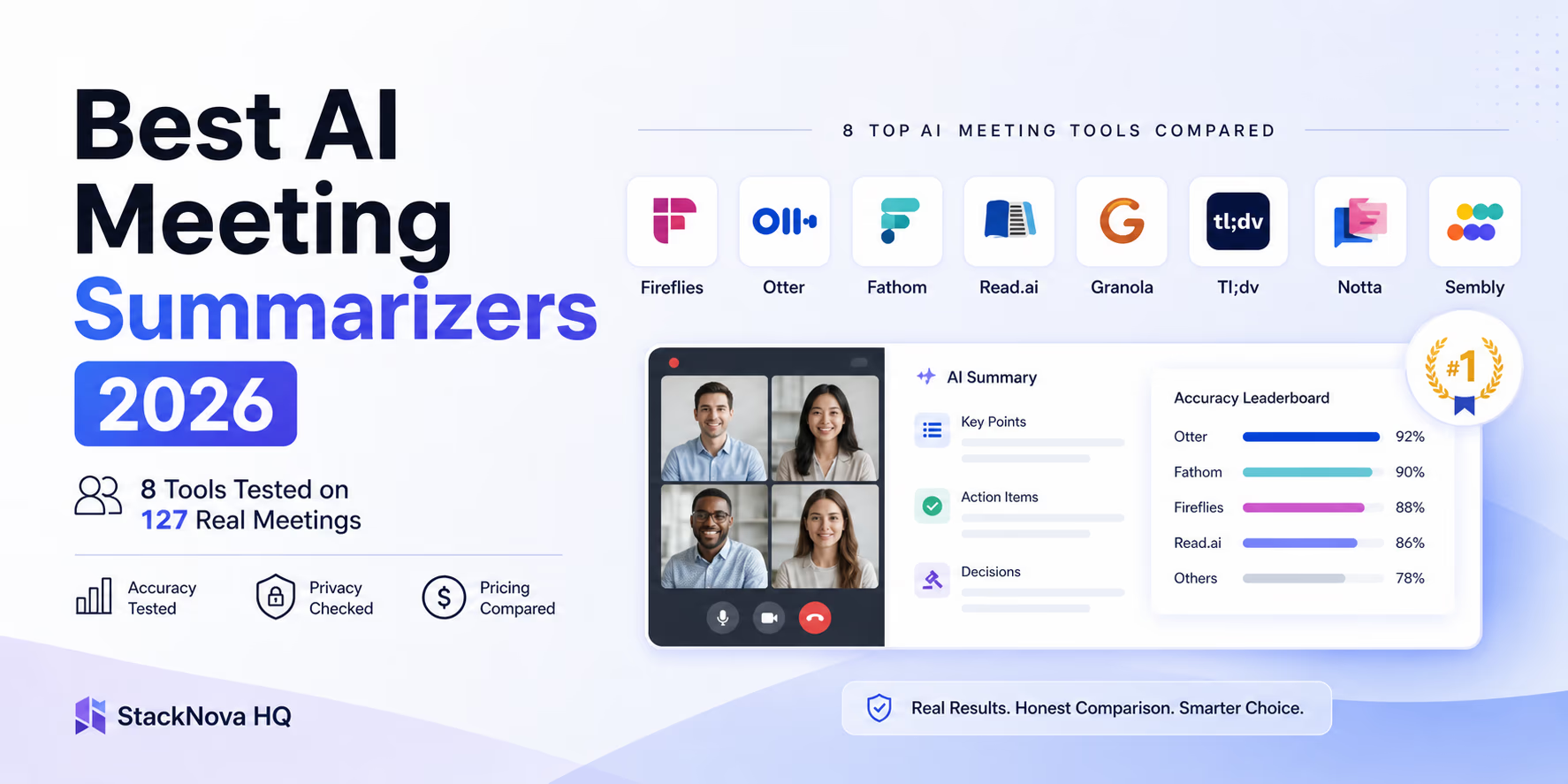
Fireflies.ai ($10/month) is the alternative worth considering if your workflow is more sales-oriented — it has better CRM integrations with HubSpot and Pipedrive. For a small team primarily doing project work rather than outbound sales, the difference is marginal. I compared both directly, along with six other tools, in my AI meeting summarizer comparison.
One thing that matters legally: disclose recording at the start of every call. Not just etiquette — in several Indian states and many international jurisdictions, consent is required. 'I use AI to take notes on calls — I hope that is okay' at the start covers you and sets expectations correctly.
- Otter.ai ($8.33/month annual) or Fireflies.ai ($10/month): both auto-join calls, transcribe, and generate summaries with action items.
- ROI is typically immediate. If you run 6+ client calls per month, the time recovered exceeds the cost many times over in the first month.
- Choose Otter for simpler setups and solo/small team use. Choose Fireflies if CRM integration with HubSpot or Pipedrive matters to your workflow.
- Always disclose recording at the start of calls. Required by law in several jurisdictions; good practice everywhere.
AI for Email and Content Marketing: The Cheap Stack Beats the Expensive One
This is the category with the biggest gap between what is marketed and what is actually necessary.
For StackNova and client communication, my marketing stack is: Claude Pro (already paid) for content drafts and email copy, Canva Pro (already paid) for visuals, and MailerLite ($9/month) for email. Total marginal cost beyond Claude and Canva: $9/month.
I tested three 'AI marketing suite' tools in the $79-149/month range over the course of six months. The output quality was not proportionally better than Claude plus MailerLite for the use cases I have — newsletter drafts, project update emails, StackNova promotional emails. The additional features were real but not features I was missing. I cancelled all three.
For social media, Buffer's AI Assistant at $6/month per channel does what I need: generates post variations, suggests timing, and lets me manage multiple platforms in one place. It is not magical, but it is good enough and the price is right.
The one genuine warning on AI-generated email content: email providers are increasingly effective at identifying generic AI-written marketing emails and routing them to promotions or spam. Whatever Claude or ChatGPT generates as a first draft, add specifics before sending — a real project reference, a genuine observation about something going on in your industry, something that proves a person wrote this. AI output as a structural scaffold, not as finished email copy.
- The stack that works: Claude/ChatGPT for copy drafts + Canva Pro for visuals + MailerLite ($9/month) for email. Total: $9 extra per month beyond what you are already paying.
- Skip: AI marketing suites at $79-149/month. Tested three; cancelled all three. Output quality did not justify the cost difference for small team use.
- Buffer AI Assistant at $6/month per channel: good enough for social media management at a price that is not embarrassing.
- Human pass required: add specific details to AI-drafted email before sending. Generic AI copy increasingly triggers spam/promotions routing.
AI for Project and Task Management: Where I Am Still Looking for a Clear Answer
I will be direct: this is the category where I do not have a strong recommendation, because I have not found a tool that clearly earns its keep over my existing setup.
I have tested Reclaim.ai and Motion for AI-powered calendar management. Both are genuinely interesting in demos — they automatically block time for deep work, shift meetings when priorities change, and protect focus time. In practice, I found myself overriding the AI scheduling frequently enough that the automation was adding friction rather than removing it. I cancelled both after 60 days.
For task management, Notion AI has been useful for generating project documentation templates and summarizing meeting notes into structured task lists. But I use Notion already, so this is an incremental improvement on an existing subscription rather than a new tool.
If your primary pain point is calendar overwhelm and context-switching between too many meetings, Reclaim or Motion may solve a real problem for you. My situation — fewer, longer work blocks with client calls clustered on specific days — did not create the right conditions for AI scheduling to add value. Your mileage may vary.
- Reclaim.ai and Motion: genuinely interesting for teams with meeting-heavy calendars. Did not survive my usage pattern because I override AI scheduling frequently.
- Notion AI: useful for documentation templates and converting meeting notes to task lists if you are already on Notion.
- Honest answer: I do not have a strong project management AI recommendation because I have not found one that clearly earned its keep in my workflow. This might mean the problem is not AI's to solve, or it might mean I have not found the right tool yet.
What Got Cancelled and Why
These are the tools that did not survive six months and the specific reason each got cancelled. Some are still good tools — they just did not fit my situation.
All-in-one AI business suites ($79-149/month): Tested three. The promise was replacing 5-6 specialized tools with one platform. The reality was that the platform did each job worse than the specialized tool at a higher price. Pattern to watch for: if the main selling point is 'replaces everything,' check whether it does any individual thing better than the specialized alternative. In my experience, the answer is usually no.
AI scheduling tools (Reclaim, Motion): Good products. Not the right fit for my work pattern. If you run back-to-back meetings all day, these may be exactly what you need. My calendar does not look like that.
Social media AI tools priced at $29-49/month: Replaced by Buffer at $6/month. The more expensive tools had marginally better features that I was not using.
'AI business coach' subscriptions ($30-60/month): These are system prompts sold as products. If a tool is charging you $40/month to answer questions about your business strategy, ask yourself whether a well-crafted ChatGPT prompt with your business context pasted in would produce equivalent output. In my testing, yes, almost always. Write the prompt once and save $40/month.
Jasper and similar 'AI writing platforms' at $99+/month: I tested Jasper for six weeks. The output quality is fine but not distinguishably better than Claude for long-form writing. The price premium is not justified for a writer who is comfortable working directly with an AI model. Might make more sense for a large content team managing many writers. If $99+/month feels steep, I separately tested cheaper options in my free AI writing tools comparison.
- All-in-one suites: cancelled. Specialized tools beat them on quality, usually at lower combined cost.
- AI scheduling tools: cancelled after 60 days. Good product, wrong workflow for my situation.
- Expensive social media AI: cancelled. Buffer at $6/month covers what I actually need.
- AI business coaches: cancelled. These are prompt engineering products. Write your own prompt and save the subscription.
- Jasper and similar: cancelled. Quality does not justify the premium over Claude for my use case.
The AI Tools for Small Business That Survived: What I Actually Pay For in 2026
Here is the exact list of tools I am currently subscribed to, with honest reasoning for each.
This is not a recommendation to replicate my exact stack — your needs will differ. It is an illustration of what six months of evaluation left standing.
| tool | monthly cost | why i kept it |
|---|---|---|
| Claude Pro | $20 | Primary writing, client proposals, content drafts, contract summaries. The quality on longer structured output is better than ChatGPT for my use case. |
| Canva Pro | $15 | Blog graphics, social images, marketing documents. AI layout and resize features genuinely save time on repetitive format work. |
| Otter.ai | $8.33 | Client call notes. Fastest ROI of anything on this list. |
| MailerLite | $9 | StackNova newsletter and client update emails. AI-assisted subject line and copy suggestions are useful without being the main reason I use it. |
| Buffer | $6/channel | Social posting for StackNova. AI post variation generation is good enough. The price is right. |
| QuickBooks | Existing subscription | AI categorization features are included and save meaningful time on monthly bookkeeping. |
The 30-Day Rollout That Actually Works
The biggest mistake I see with AI tool adoption is trying to change everything at once. You end up half-using five tools, not fully using one.
Here is the sequence I would follow if starting from zero, based on what actually created durable habits versus what felt productive for a week and then faded:
Week 1: Subscribe to Claude Pro or ChatGPT Plus. Use it every day for every text-based task — emails, summaries, drafts, anything. Do not add anything else this week. The goal is making AI-first thinking the default for routine text work.
Week 2: Add Otter.ai or Fireflies. Let it join every call you take this week. Review the summaries. The habit forms fast because the value is immediately obvious.
Week 3: Identify your single biggest time drain in the previous two weeks that AI did not cover. Add one tool that addresses specifically that. Not the tool with the most features — the one that addresses the specific gap.
Week 4: Add Canva Pro if visual content creation is part of your workflow. Or MailerLite if email marketing is. One tool.
Month 2: Stop adding. Extract more value from what you have. Build your prompt library. Train the meeting notes AI on your terminology. Optimize what is already there before expanding the stack.
The small business owners and freelancers I see getting real value from AI tools are not the ones running the most tools — they are the ones who are most deliberate about using the tools they have consistently.
- Week 1: General AI assistant only. Build the habit before adding complexity.
- Week 2: Meeting notes tool. Immediate value, fast habit formation.
- Week 3: One tool targeting your actual biggest remaining time drain.
- Week 4: One supporting tool for content or communication.
- Month 2: Stop adding. Deepen usage of what you have.
Frequently Asked Questions
Strategic Summary
Final Thoughts
The honest summary: I kept six tools after six months, and the one I would keep if forced to choose one is Claude Pro at $20/month. Everything else is useful in specific contexts, but the general AI assistant is the foundation everything else sits on. The pattern I kept seeing with tools that got cancelled: they required me to change my workflow to accommodate the tool, rather than slotting into how I already work. The tools that survived all required minimal workflow change to start generating value. If you are starting from zero: spend the first month just with Claude or ChatGPT. Use it for everything. Build the muscle of reaching for AI assistance on routine tasks before reaching for a new tool. Most people find they can get 60-70% of what they were hoping for from specialized tools just by using the general assistant more deliberately. The rest is optimization on top of that foundation. And if you actually write code for a living — not just run the business side — the AI tools I use for building software (coding assistants, frontend generators, local models) are a different set entirely, broken down in a separate article linked below. --- Last reviewed: June 2026. All pricing verified at time of publication. This article reflects personal experience with tools used in my own freelance and agency workflow — not a study of other businesses. Tools change; the underlying principle (fewer tools used consistently beat more tools used occasionally) does not.
Next Up
Continue your research
Best AI Tools for Developers in 2026 — AI coding tools, a different stack entirely
AI Meeting Summarizer Comparison 2026: Tested on 127 Real Meetings
n8n vs Make vs Zapier for Developers 2026
7 Open-Source Cursor Alternatives That Cost $0-$10/Month
Sources & Research
Anthropic Claude — Official Pricing
https://www.anthropic.com/pricing
OpenAI ChatGPT Plans
https://openai.com/chatgpt/pricing/
Canva Pro — Features Overview
https://www.canva.com/pro/
Otter.ai — AI Meeting Assistant
https://otter.ai/
Fireflies.ai — AI Meeting Notes
https://fireflies.ai/
MailerLite — Email Marketing Pricing
https://www.mailerlite.com/pricing
Buffer — Social Media Tool
https://buffer.com/
Digits — AI Bookkeeping
https://digits.com/