How I Integrated AI Code Review Into a 25-Module ERP System (Real Results)

Written by
Sumit Patel
Published
May 24, 2026
Reading Level
Advanced Strategy
Investment
7 min read
TL;DR — AI Code Review in ERP
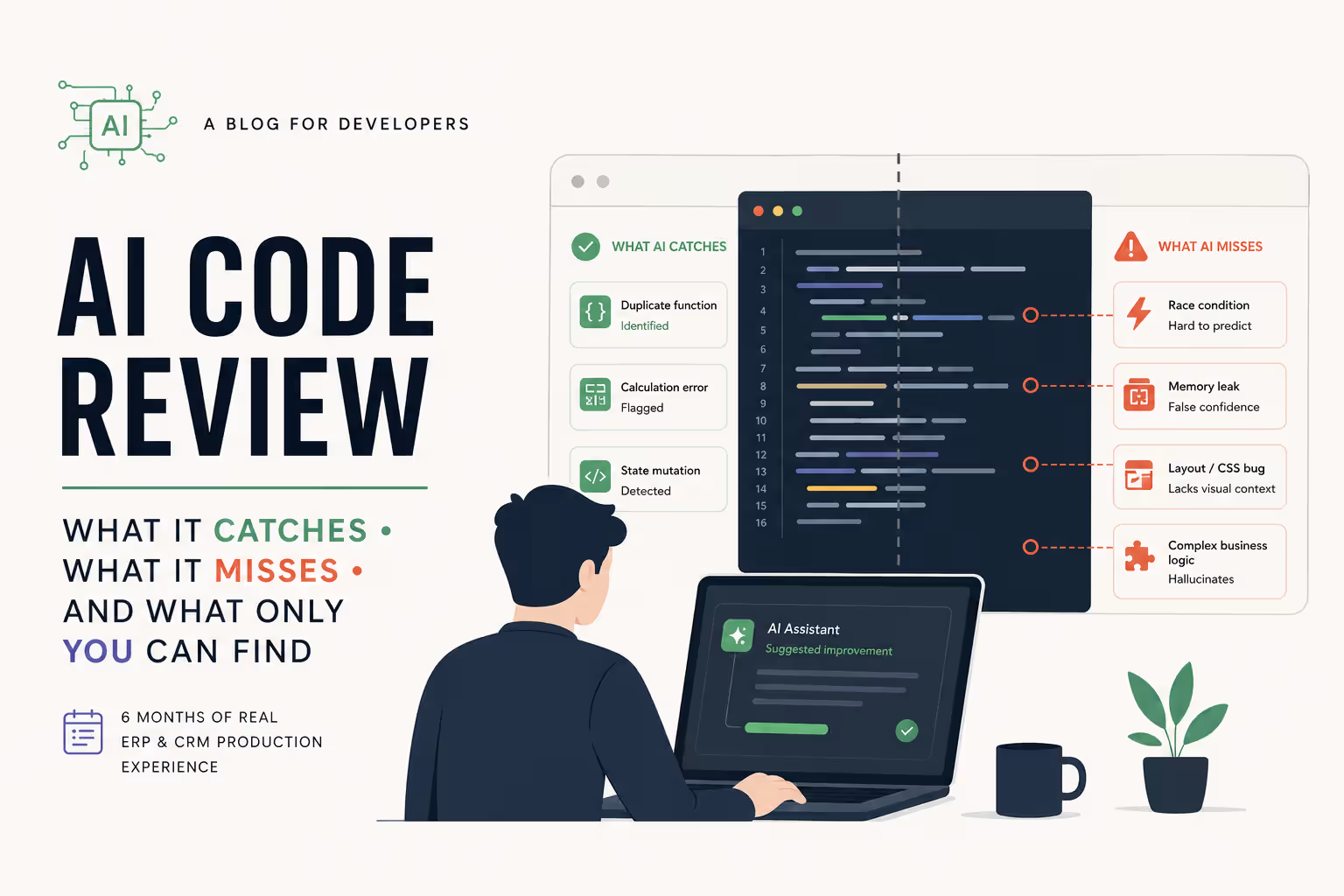
- 1AI code review catches ~60% of micro-logical errors (duplicate API calls, loading states, RTK cache bugs) but misses system-level side effects in ERP modules.
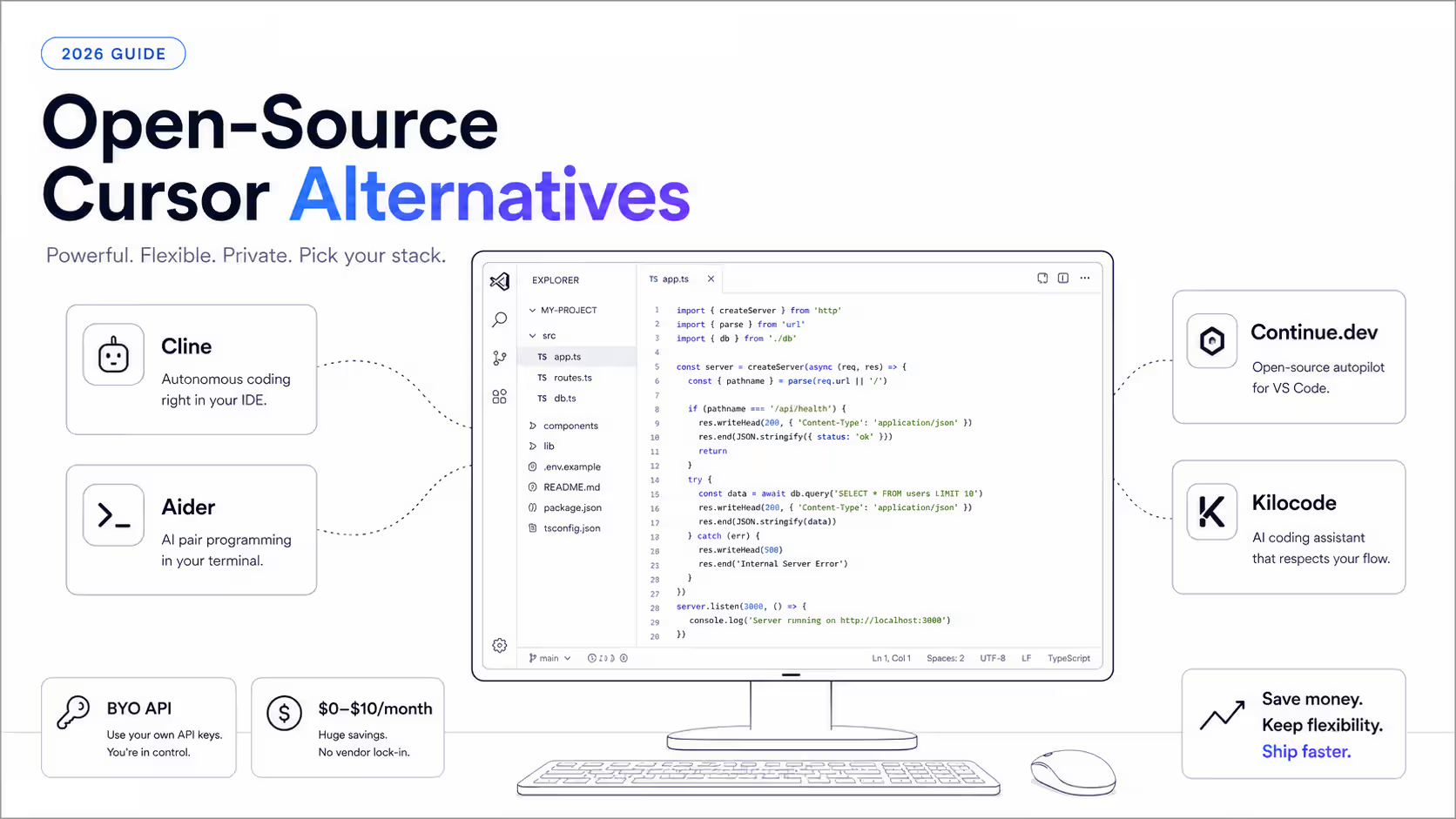
- 2Tools analyzed: Cursor IDE (codebase indexing), Claude 3.5 Sonnet (complex logic), and GitHub Copilot (inline code auditing).
- 3AI blindspots: Cross-module state changes, WebSocket timing issues, and backend interface discrepancies.
- 4The fix: Structuring prompts with architectural constraints, injecting local dependency maps, and using a strict 'Trust-but-Verify' checklist.
The Honest Context: Real ERP Battle Scars
Let's skip the marketing hype: I did not replace our engineering team with an AI agent. I integrated Cursor, Claude, and Copilot into the development cycle of Rockworth—a 25-module enterprise ERP system managing inventory, supply chain, invoicing, and accounting. With 250+ API endpoints and heavy inter-module dependencies, manual code reviews were a massive bottleneck. What follows is an honest case study of what happened over six months: the exact bugs AI caught, the scary production regressions it missed, and the prompt structures we developed to make AI review actually reliable.
Enterprise Resource Planning (ERP) systems are code review nightmares. Unlike isolated microservices or standard SaaS landing pages, an ERP is a dense jungle of interlinked business rules, shared caches, and multi-module dependencies. In Rockworth—our monolithic React/TypeScript ERP consisting of 25 distinct modules—a simple API change in the Billing module can quietly trigger a layout crash in the Shipping ledger or a silent state mutation in the Inventory store. As our codebase swelled to hundreds of thousands of lines of code, our manual PR review pipeline began to collapse. Reviews were taking days, blocking deployments, and still letting subtle logic errors slip into production. We needed automation. We spent six months integrating AI-assisted reviews into our Git workflow using Cursor, Claude 3.5 Sonnet, and GitHub Copilot. The results were highly surprising: AI proved to be an exceptional linter for micro-logical bugs, catching issues that humans routinely overlooked. However, it was also dangerously blind to system-level architectural issues. This case study details our actual data, the bugs AI caught, the ones it missed, and the prompt structures that finally made it useful.
Key Takeaways
6 PointsThe Problem: Code Review in a 25-Module ERP Maze
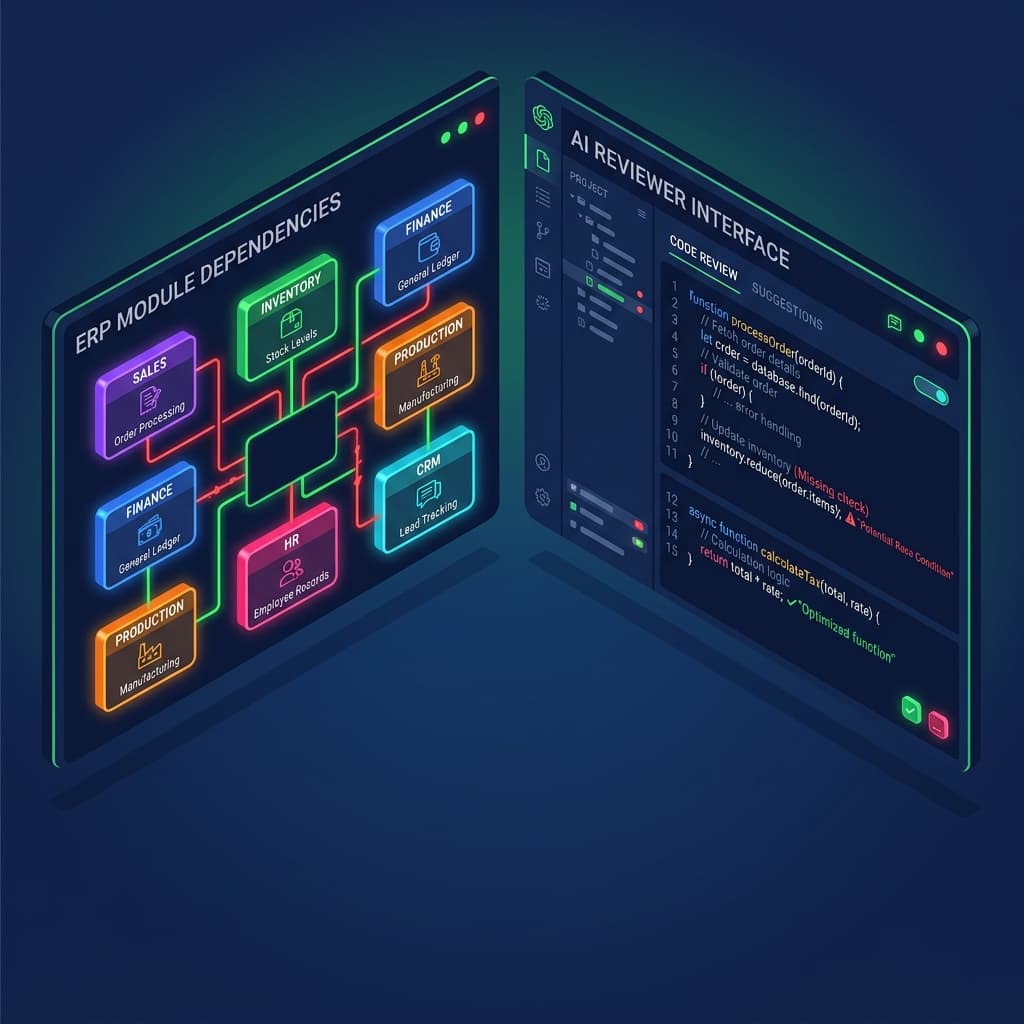
Our ERP system, Rockworth, comprises 25 functional modules—from basic CRM panels and Procurement sheets to high-compliance General Ledgers and Payroll calculators. In a modern single-page React frontend, these modules might look separated on the folder tree, but their runtime environments are deeply intertwined. A single developer changing an API interface inside Billing would frequently cause silent cascading failures in 3 to 4 dependent panels. Manual reviews could not scale with this complexity. Engineers had to spend hours trace-checking Redux store connections, loading behaviors, and cached hooks. We needed a first-pass gatekeeper that could run in seconds.
- Cascade Failures: A single contract adjustment in a utility file frequently triggered broken states in unrelated ERP components.
- Manual Review Bottlenecks: Full PR evaluations averaged 36 hours, severely throttling deployment velocity.
- The Attention Deficit: With hundreds of lines of complex conditional logic per PR, reviewers grew fatigued, allowing micro-bugs to slide into production.
- High Cognitive Load: No single engineer could remember the complete global data flow across all 25 modules.
What We Tried: The Three-Tool Coding Stack
To build our AI-assisted code review loop, we deployed a multi-tool stack consisting of Cursor, Claude 3.5 Sonnet, and GitHub Copilot. Each was configured to operate at a different stage of our development cycle: Cursor was used for full-project context-aware editing and review; Claude served as our high-reasoning logic auditor; and GitHub Copilot served as an inline auto-completion linter.
| tool | scope | erp readiness | strengths | weaknesses |
|---|---|---|---|---|
| Cursor IDE | Project-wide indexing | Excellent | Imports codebase-wide schemas and symbols to trace cross-module state paths. | High CPU utilization; indexing lag on rapid file changes. |
| Claude 3.5 Sonnet | Paste-based / API | Very Good | Superb logical reasoning; explains complex math or race condition risks. | Manual copy-paste required; lacks instant IDE-wide file tracking. |
| GitHub Copilot | Active file buffer | Moderate | Fast inline syntax audits; builds boilerplate tests instantly. | Fails to capture global architectural rules across isolated files. |
What AI Actually Caught: The Micro-Logic Wins
Over six months of production logging, our AI reviewers successfully caught roughly 60% of logical bugs. The tools proved to be highly effective at scanning static structures and identifying patterns where developers violated local rules or introduced duplicate logic.
>Duplicate API Requests
Inside complex modular dashboards (such as our Sales Intelligence panel), developers had inadvertently placed identical fetch queries in adjacent component files. Cursor immediately flagged these duplicates, advising us to pull the queries up to a shared RTK Query hook, saving over 400KB of redundant network traffic daily.
>RTK Query Cache Invalidation Bugs
In our invoicing pipeline, when a user mutated an invoice status, the corresponding dashboard list failed to re-render because the developer forgot to define the appropriate cache invalidation tags. Claude identified the missing tag links inside our slice file, preventing stale financial displays.
>Missing UI Loading & Disabled States
AI reviews caught dozens of instances where buttons executing API transactions did not have loading spinners or disabled flags. Flagging these prevented double-submission bugs in our payment gateways.
What AI Completely Missed: The Dangerous Gaps
Despite its logical brilliance, AI remains dangerously oblivious to system-level context. The tool is a static analyzer at heart, and because it cannot run the actual application in memory, it missed critical categories of runtime bugs that would have crashed our staging environment.
>Cross-Module Redux Mutations
When a developer mutated a Redux state slice in the Inventory module that was consumed by a selector in the accounting module's dashboard, the AI checked the Inventory code in isolation, labeled it clean, and completely missed that the change silently corrupted the selector's input structure, breaking the accounting screen.
>WebSocket Concurrency & Race Conditions
Rockworth uses active WebSockets to display live asset stocks. AI reviewers consistently cleared component code that contained race conditions between the local UI input updates and incoming WebSocket event payloads, because both blocks were syntactically correct in isolation.
>API Contract Discrepancies
If a frontend developer written a client interface that assumed a field named `delivery_date` was a string, but the Go backend changed the JSON contract to return an object, the AI did not catch the error because it only had access to the frontend codebase.
The Workflow That Works: ERP-Specific Prompt Engineering
To elevate our AI code review from generic advice to actual enterprise reliability, we abandoned basic questions like 'is this code clean?' Instead, we engineered a rigorous system-prompt template that enforces ERP boundaries. This workflow provides the model with the exact structural constraints and historical failure modes it needs to audit successfully.
1. Inject Architectural Guardrails
We begin the prompt by detailing our strict code standards. 'You are reviewing a file inside a 25-module React/TypeScript monorepo. The frontend utilizes Redux Toolkit, RTK Query, and strict functional container-presenter structure. No direct global state changes are allowed.'
2. Reference Local Dependency Schemas
We feed the AI the surrounding code environment. In Cursor, we utilize the @-tag to link the specific database entity schema, the target API slice, and any direct utility helper. This prevents the model from hallucinating or recommending incompatible patterns.
3. Enforce the historical failure list
We list our top 5 ERP-specific bug types. The AI is ordered to check the file specifically for: 1. Stale cache bugs; 2. UI button double-clicking; 3. Insecure currency parsing; 4. Local storage leaks; and 5. Unclosed hook event listeners.
4. Output severity-categorized JSON
We require the review to output as a structured JSON object. The AI must group issues into: CRITICAL (breaks state or schema), IMPORTANT (UX/UI regression risk), or MINOR (formatting and styles), keeping our developers focused on true problems.
A Human-AI Trust-but-Verify Checklist
To prevent our team from falling into 'AI-review complacency,' we established a clear engineering guideline. This checklist explicitly separates the tasks that AI is trusted to review from those that MUST be verified by a human engineer.
Trust AISafe Zone
Tasks you can reliably delegate to AI code reviews.
- ✓Syntax correctness, React hook dependency arrays, and standard TypeScript type violations.
- ✓Verifying that error catch blocks are implemented on all async API calls.
- ✓Highlighting duplicate variables, unused hooks, and redundant module imports.
Verify ManuallyCaution Zone
Critical components that demand manual audits and testing.
- !Runtime state integrity across Redux store boundaries during rapid cross-module navigation.
- !WebSocket events, callback ordering, and concurrent user concurrency safety.
- !Adherence to localized business calculations and actual Go backend API payloads.
Chunk TaskStrategic Zone
Architectures too complex for single pass prompts.
- #Isolate the Redux state reducer slice file from the React components that consume it.
- #Submit pure layout components separately from logic hooks to prevent context noise.
- #Group and send the API slice mutations with their corresponding type definitions in a single prompt.
Strategic Summary
Final Thoughts
Integrating AI code reviews into a 25-module ERP system was not about replacing engineers; it was about elevating them. By offloading standard logical checks—like API caching, micro-state mutations, and form safety—to Cursor and Claude, our human developers reclaimed 15+ hours a week to focus on architectural design and system-level security. The secret to AI code review in enterprise codebases is clear: never treat it as an autonomous decision-maker. Instead, treat it as a rigorous first-pass auditor that runs inside a structured environment. When combined with a strict 'Trust-but-Verify' checklist and architectural prompt patterns, AI becomes a powerful weapon that shields your ERP from regression and speeds up product delivery.
Use AI code reviews to automate logical auditing, but enforce manual verification for module boundaries and Redux state. Chunk files before review and inject explicit dependency schemas.
Building complex React ERP or CRM platforms and want to integrate custom AI workflows that actually improve code quality? Let's connect through my Work With Me page to explore custom architecture integrations.
Sources & Research
GitHub Copilot Enterprise Documentation — System Architecture and Codebase Indexing
https://docs.github.com/en/copilot/github-copilot-enterprise
Qodo AI — Production Code Quality and AI Code Review Benchmarks (2026)
https://www.qodo.ai/blog/state-of-ai-code-review-2026
Verdent AI — Code Review and Context Ingestion Architectures
https://www.verdent.ai/guides/best-ai-for-code-review-2026